



Craft Express Sliding Paper Cutter for Vinyl, Sublimation & Crafting
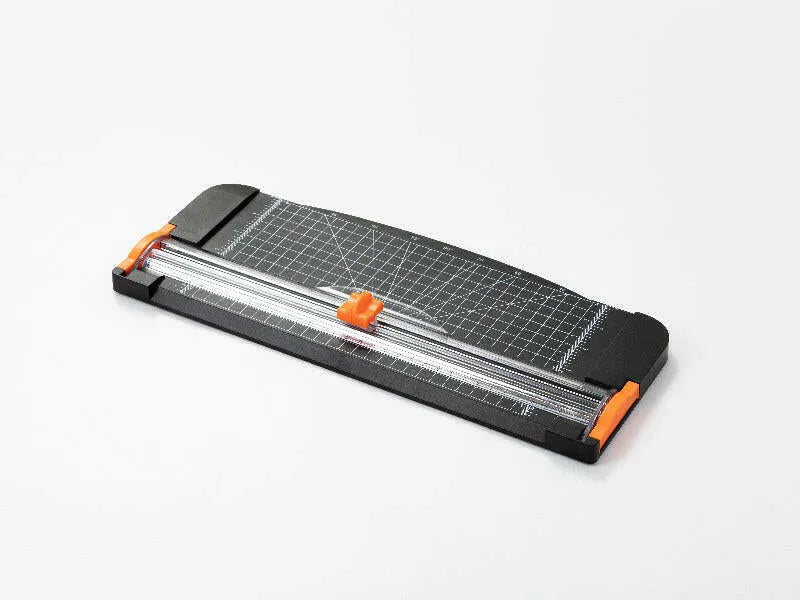
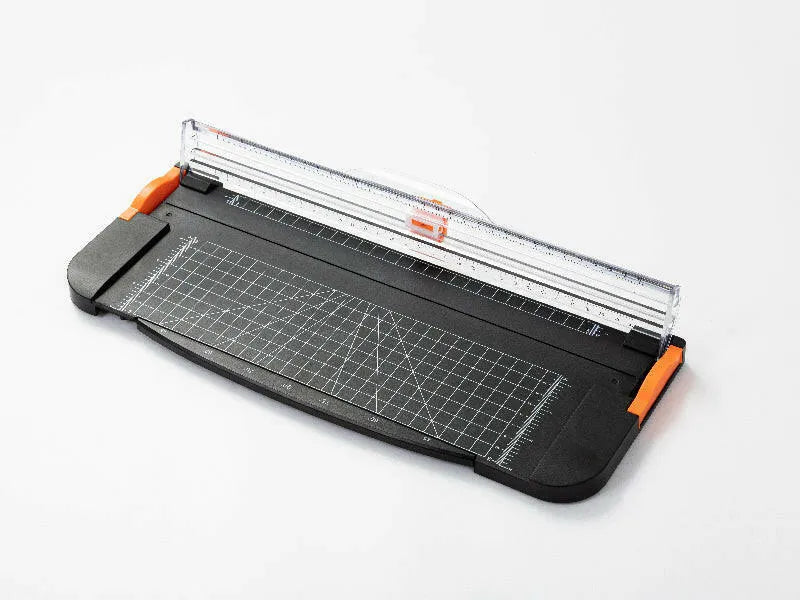
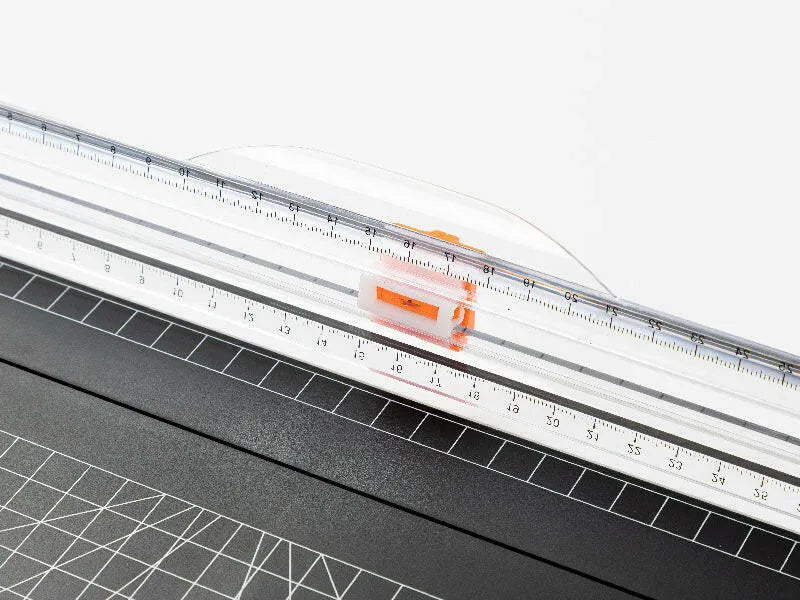
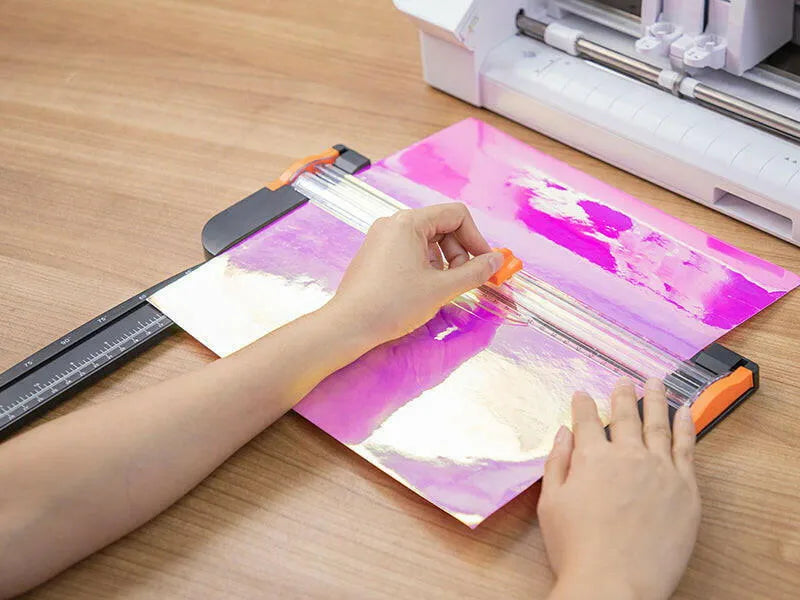
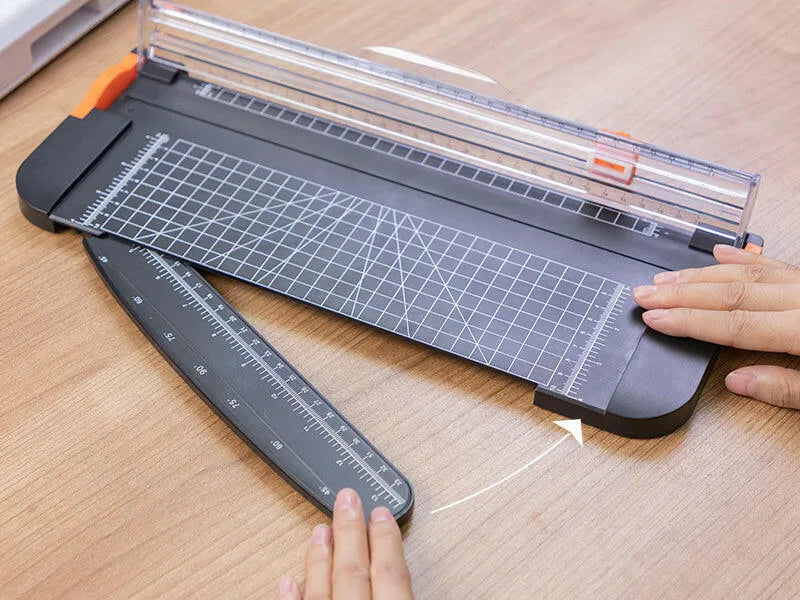
Trim transfer sheets, prepare vinyl pieces, and tidy paper edges with the Craft Express Sliding Paper Cutter for Vinyl, Sublimation & Crafting. A sliding blade, built-in ruler guides, and gridlines help you measure and align thin craft media before making a straight cut.
Choose options
Description
A straight-cut starting point for your next project
Trim transfer sheets, prepare vinyl pieces, and tidy paper edges with the Craft Express Sliding Paper Cutter for Vinyl, Sublimation & Crafting. A sliding blade, built-in ruler guides, and gridlines help you measure and align thin craft media before making a straight cut.
Picture a set of personalized gifts ready for preparation: sublimation transfers to separate, vinyl sheets to size, and paper labels to trim. Keep this compact cutter beside your workspace to move from a full sheet to manageable pieces without reaching for scissors for every edge.
Why add it to your craft workspace?
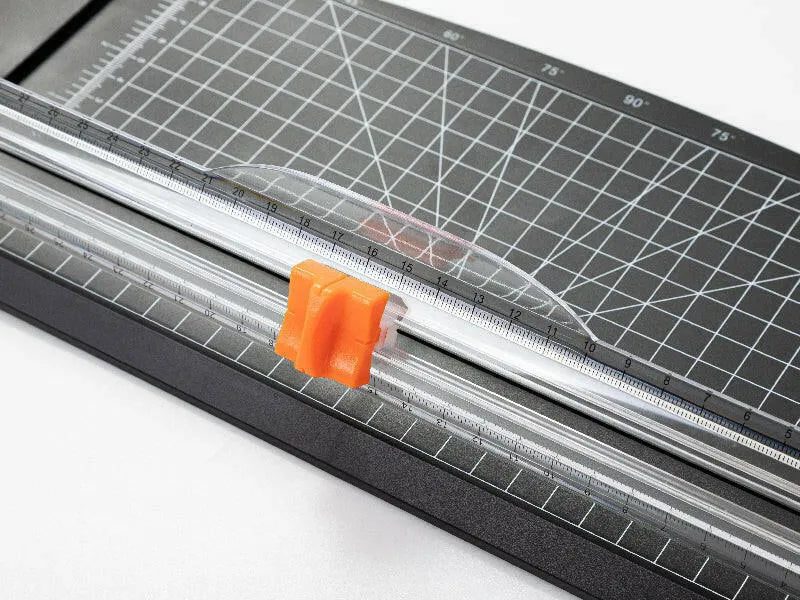
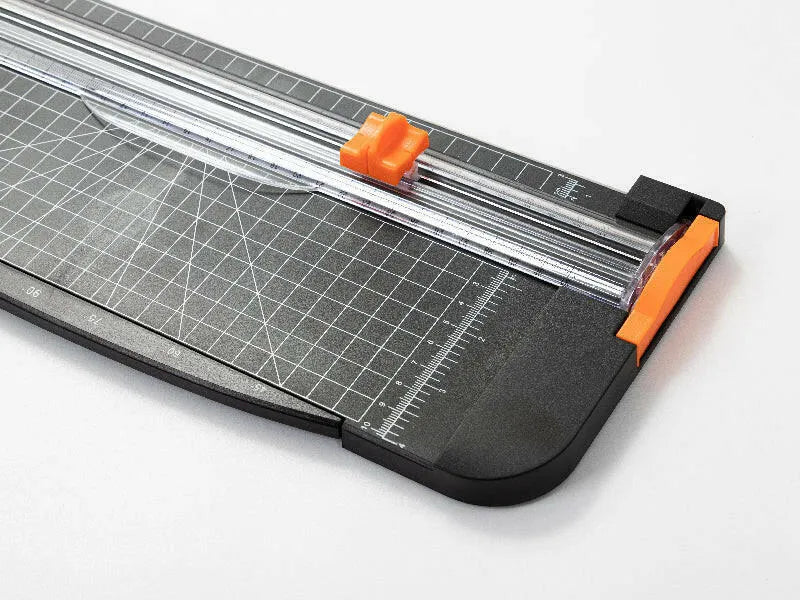
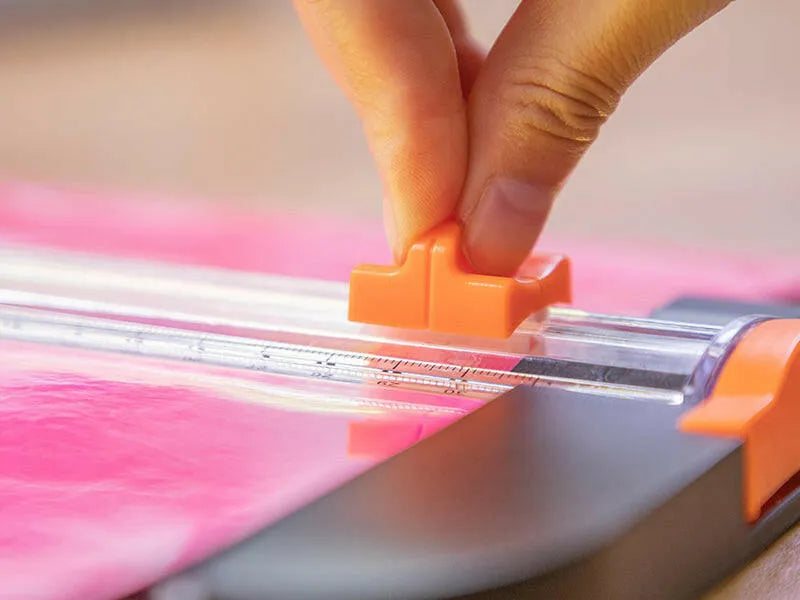
- Sliding blade action: Guide the cutter along its track for straight trimming.
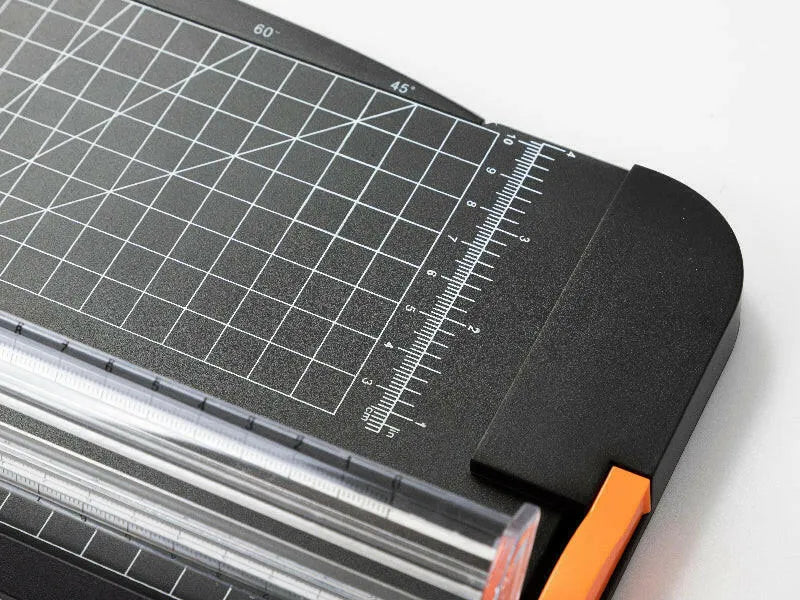
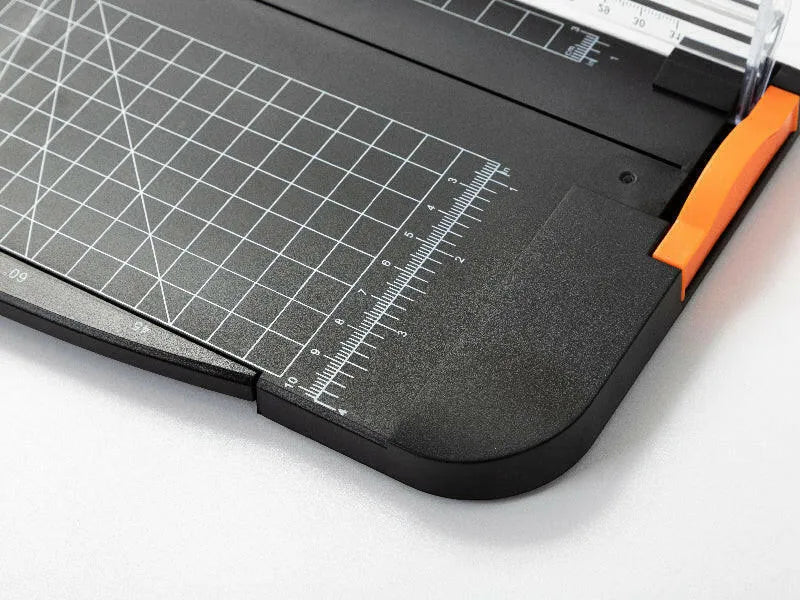
- Ruler guides and gridlines: Align your material and check measurements before cutting.
- Up to 12-inch sheet width: The FAQ lists letter, A4, and 12 × 12-inch craft sheets as examples.
- Several thin-media uses: Sublimation paper, adhesive vinyl, HTV, photo paper, labels, and scrapbook paper are listed applications.
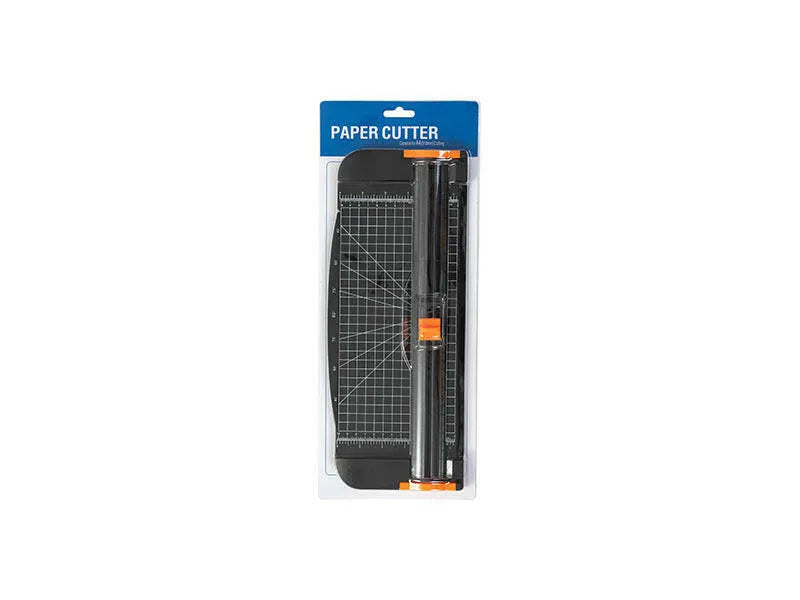
- Compact, lightweight format: A practical option for a craft drawer, tote, or workstation; check actual dimensions for your storage space.
- Replaceable blade cartridge: The FAQ identifies a replaceable cartridge, with the exact replacement part to be confirmed.
Specifications and buying details
| Detail | Product information |
|---|---|
| Tool type | Manual sliding paper and craft-media cutter |
| Cut type | Straight trimming |
| Listed sheet width | Up to 12 inches |
| Alignment features | Top and side ruler guides with gridlines |
| Blade design | Blade enclosed in a slider; replaceable cartridge listed in the FAQ |
| SKU | CECZD3814BK |
| Media limits | No numerical thickness, cardstock weight, or stacked-sheet capacity supplied |
| Measurements | Overall dimensions, ruler units, and exact usable cutting stroke are not separately supplied |
| Replacement parts | Compatible cartridge part number, availability, and spare-blade inclusion are not specified |
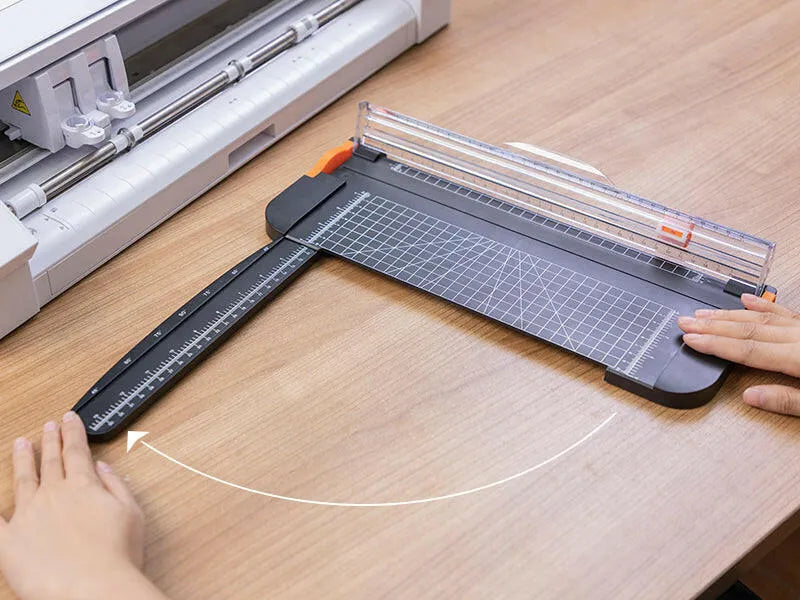
The listed 12-inch sheet width is not a guarantee of cutting any thickness or a stack of sheets. Confirm the usable cutting path and material capacity for your intended project. An extendable arm is mentioned in the search description, but its dimensions and operation are not detailed in the supplied features.
Material compatibility guide
| Material | Guidance |
|---|---|
| Sublimation transfer paper | Listed for trimming sheets and separating designs. Keep the cut clear of artwork and required transfer margins |
| Adhesive vinyl | Listed for sizing thin sheets. No selective kiss-cut or liner-only cutting function is established |
| Heat-transfer vinyl (HTV) | Listed for trimming material. This does not replace the equipment needed to cut detailed lettering or shapes |
| Photo paper, labels, printables, and scrapbook paper | Listed thin-media uses. Check thickness and test a small offcut before a full project |
| Cardstock | Mentioned in the description and FAQ, but no maximum weight or thickness is supplied |
| Thick foam and leather | Not recommended in the product FAQ |
| Other thick, rigid, or specialty media | Not established as compatible. Do not assume the cutter handles every craft material |
How it fits your equipment workflow
| Workflow | Role of this cutter |
|---|---|
| Sublimation printing | A separate manual trimming tool. Fit depends on sheet dimensions and media suitability, not printer brand |
| Electronic vinyl cutting | Prepare manageable pieces or trim excess sheet material. It is not a powered design-cutting machine |
| Gift packaging and paper crafts | Trim straight edges on suitable thin paper and label media |
| Angled, curved, or contour designs | No angle-setting, curved-cutting, or printed contour-registration function is established |
How to make a straight cut
- Place the cutter securely on a stable work surface and check that the material fits the guides and cutting path.
- Measure your required size and align the material using the top and side ruler guides and gridlines.
- Hold the sheet securely without putting fingers in the blade’s travel path.
- Move the slider smoothly from one end to the other in a single motion, following the supplied operating instructions.
- Inspect the edge and remeasure before preparing repeated pieces. Test unfamiliar thin media on an offcut first.
- Clear scraps and store flat or upright as directed, with the blade retained in its enclosed slider.
No approved multi-sheet cutting capacity is supplied. Do not assume stacking sheets will produce the same cut as a single sheet, and do not force thick or unsupported materials through the blade.
Ideas for everyday project preparation
Separate a sheet of mug-transfer designs, size vinyl pieces before loading your compatible electronic cutter, or trim coordinated gift labels. Use the same measured reference for repeated pieces, checking alignment rather than relying on speed alone. Straight trimming helps organize your workflow without claiming to replace every cutting tool.
Blade care and handling
The enclosed slider limits direct exposure during normal operation but does not make the tool injury-proof. Keep hands clear of the cutting path and store out of children’s reach. No child-use certification or age rating is supplied.
The FAQ identifies a replaceable blade cartridge. Confirm the exact compatible part and replacement procedure before servicing; do not assume cartridges from another cutter fit. No fixed blade lifespan, sharpening method, or lubrication procedure is supplied.
Frequently asked questions
What size sheets does it accept?
The FAQ lists sheets up to 12 inches wide, including letter, A4, and 12 × 12-inch craft sheets. Confirm the cutting path for the edge you intend to trim.
Can it cut sublimation paper and vinyl?
Both are listed uses, along with HTV and other thin craft media. Material thickness and construction still matter.
Will it cut cardstock?
Cardstock is mentioned, but no maximum thickness or paper weight is supplied. Confirm suitability and test an offcut.
Can it cut thick foam or leather?
The product FAQ does not recommend those materials.
Can I cut several sheets at once?
No stacked-sheet capacity is supplied. Do not assume multi-sheet cutting is supported.
Is the blade replaceable?
Yes, according to the product FAQ. Confirm the correct cartridge part number, availability, and installation instructions.
Can it cut detailed vinyl designs?
It is a straight-edge trimming tool, not an electronic shape or lettering cutter. No kiss-cut function is established.
Does it make angled or curved cuts?
This model is described as a straight cutter. No angle-setting or curved-cut function is supplied.
Does it need to connect to a printer?
No printer connection is part of the listed manual workflow. Align the material and move the blade slider by hand.
Are spare blades included?
Spare-blade inclusion is not specified. Confirm box contents if you need replacements for an upcoming project.
Measure, align, and trim your next suitable sheet with a compact tool built around a straightforward sliding-cut workflow.