


Frequently Asked questions

Sublimation
Column title
Pair text with an image to focus on your chosen product, collection, or blog post. Add details on availability, style, or even provide a review.
Column title
Pair text with an image to focus on your chosen product, collection, or blog post. Add details on availability, style, or even provide a review.
Column title
Pair text with an image to focus on your chosen product, collection, or blog post. Add details on availability, style, or even provide a review.
Products
Find answers to common questions about our products and services.
-
Dye sublimation printing is a digital printing process that uses specialized sublimation ink, heat, and pressure to transfer a full-color design onto polyester fabric or a specially coated sublimation blank. Unlike many other heat transfer methods, sublimation ink becomes part of the compatible material rather than creating a thick layer on top. This makes sublimation ideal for products such as polyester apparel, mugs, tumblers, tote bags, coasters, and personalized gifts..
-
Sublimation transfer technology uses sublimation ink, transfer paper, heat, and pressure to permanently transfer a design onto a compatible product. First, your design is printed onto sublimation paper using a sublimation printer. The transfer is then placed on a sublimation-ready blank and heated with a heat press. The heat causes the sublimation dye to penetrate the polyester or polymer coating, creating a vibrant, durable design.
-
Polyester remains the ideal fabric for traditional sublimation because the ink permanently bonds with synthetic fibers. However, with specialized transfer systems like VersiFlex®, sublimation printers can also produce high-quality prints on 100% cotton, cotton blends and other compatible fabrics, giving decorators greater flexibility.
-
You can sublimate on a wide variety of polyester apparel and sublimation-coated products. Popular sublimation blanks include T-shirts, hoodies, mugs, tumblers, tote bags, coasters, mouse pads, keychains, ornaments, puzzles, and other hard substrates. For the best results, the product must contain polyester or have a compatible polymer sublimation coating.
-
The best sublimation printer for home use depends on your projects and production needs. The Sawgrass SG500 is a popular choice for beginners, crafters, and small businesses because of its compact size and ability to produce high-quality sublimation prints. For larger designs and higher-volume production, the Sawgrass SG1000 offers a larger print area. When choosing a sublimation printer, consider print size, ink compatibility, production volume, and the types of sublimation products you plan to make.
-
The Sawgrass SG500 VersiFlex System is a great desktop solution for makers looking to print custom designs on polyester and compatible blended fabrics at home. For larger designs and higher-volume crafting, the Sawgrass SG1000 VersiFlex System offers a larger print area. Both are well suited for home-based craft businesses, custom apparel printing, heat transfer projects, and personalized products.
-
The Sawgrass SG500 VersiFlex System is a great desktop solution for makers looking to print custom designs on polyester and compatible blended fabrics at home. For larger designs and higher-volume crafting, the Sawgrass SG1000 VersiFlex System offers a larger print area. Both are well suited for home-based craft businesses, custom apparel printing, heat transfer projects, and personalized products.
-
Polyester remains the best substrate for traditional sublimation because the ink permanently bonds with the fibers. Cotton is preferred when comfort, breathability, and a natural feel are the priority, provided you use a compatible transfer solution.
-
Sublimation ink becomes a gas during heat pressing and chemically bonds with polyester. Cotton lacks the polymer structure needed for this bond, so sublimation ink will either wash out quickly or appear faded if applied directly.
-
No. Standard sublimation transfers are designed for polyester or polymer-coated surfaces. For cotton garments, you'll need transfers or media specifically designed for cotton applications.
-
A faded sublimation transfer can be caused by insufficient temperature, pressing time, or pressure, incorrect sublimation ink settings, an unsuitable substrate, or poor contact between the transfer and blank. Check your sublimation heat press temperature and time, verify that you're using a compatible polyester or sublimation-coated blank, and follow the manufacturer's recommended settings.
-
A blurry sublimation design is often caused by ghosting, which can occur when the transfer paper moves during pressing. Secure your sublimation transfer with heat-resistant tape and avoid moving the paper or blank when opening the heat press. Proper sublimation pressing technique helps produce sharp, professional-looking designs.
-
Sublimation ghosting happens when the transfer paper shifts while the heat press is opening or closing, creating a blurry or shadowed image. To prevent ghosting, secure the transfer firmly with heat-resistant tape, avoid moving the blank during pressing, and use the correct pressure. A properly secured sublimation transfer helps produce crisp, vibrant results.
-
Yes, but not with traditional sublimation alone. Standard sublimation ink is designed to bond with polyester fibers, so it won't permanently adhere to untreated cotton. To successfully sublimate on cotton, you'll need a specialized transfer solution such as VersiFlex®, which enables vibrant, full-color prints on cotton garments using a sublimation printer.
-
Yes. VersiFlex is designed to enable vibrant, full-color decoration on cotton fabrics using sublimation printers, allowing businesses to expand beyond polyester garments.
-
VersiFlex heat transfer media is an excellent choice for creating vibrant, full-color apparel designs. Printable heat transfer media makes it easy to create detailed custom T-shirts, sweatshirts, tote bags, and other personalized garments while maintaining a flexible finish suitable for apparel.
-
Sawgrass VersiFlex products are designed for versatile heat transfer printing and custom apparel decoration. They can be used to create vibrant T-shirts, hoodies, tote bags, uniforms, promotional apparel, and personalized fabric products on compatible cotton, polyester, and blended fabrics.
-
VersiFlex is a cotton decoration solution that enables sublimation printers to produce high-quality prints on cotton garments, combining many of the advantages of sublimation with compatibility for natural fibers.
-
For professional-quality results, many printers use cotton transfer systems like VersiFlex because they allow full-color graphics to be applied to cotton garments while retaining much of the appearance associated with sublimation.
-
Standard sublimation paper is only one part of the process. For cotton garments, you'll need a transfer media specifically designed for cotton sublimation, such as VersiFlex®. These systems enable sublimation inks to adhere to cotton while maintaining excellent color and durability.
-
Yes. Sublimation printers can print on cotton without using heat transfer vinyl when paired with specialized cotton transfer products like VersiFlex®. This provides a professional full-color finish while eliminating the need for cutting and weeding vinyl.
-
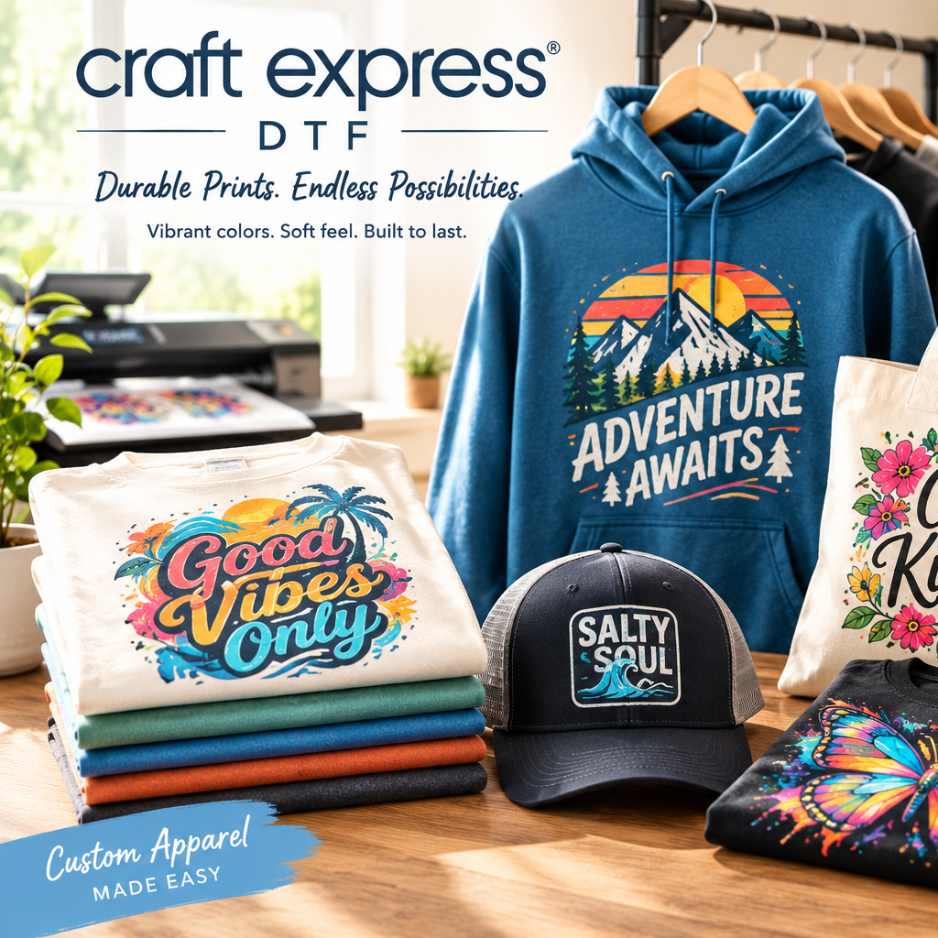
DTF (Direct-to-Film) printing is a heat transfer printing process used to create full-color designs for apparel and other textiles. A DTF printer prints artwork onto specialized PET transfer film using DTF inks, including white ink. The printed design is coated with hot-melt adhesive powder, cured, and then transferred onto fabric using a heat press. DTF printing is popular for custom T-shirts, hoodies, tote bags, and small-business apparel because it produces vibrant, detailed designs on a wide range of fabrics.
-
A DTF printer is a specialized printer designed to print full-color artwork onto DTF transfer film using CMYK and white DTF inks. Unlike traditional sublimation printers, DTF printers can create transfers for cotton, polyester, blends, and many other compatible fabrics. DTF printers are commonly used for custom apparel, personalized products, and T-shirt printing businesses.
-
To make DTF transfers at home, create or prepare a high-resolution design, print it onto DTF transfer film with a compatible DTF printer, apply hot-melt adhesive powder, and cure the powder. The finished transfer can then be applied to a compatible garment using a heat press. DTF transfers are a popular option for home crafters because they allow you to produce custom apparel without traditional screen-printing equipment.
-
A basic DTF printing setup typically includes a DTF printer, DTF transfer film, CMYK and white DTF inks, hot-melt adhesive powder, a powder application method or shaker, a curing oven or heat source, and a quality heat press. You will also need design software and compatible apparel or other heat-transferable materials.
-
To apply a DTF transfer to a T-shirt, pre-press the garment if recommended, position the transfer film with the printed design facing the fabric, and heat press it using the transfer manufacturer's recommended temperature, pressure, and pressing time. After pressing, allow the transfer to cool if it requires a cold or warm peel, then carefully remove the film. A final press may be recommended depending on the transfer system.
-
One of the biggest advantages of DTF transfers is their versatility. DTF can be used on many compatible fabrics, including cotton, polyester, cotton-polyester blends, and other textile materials. DTF transfers are especially useful for both light and dark garments because white ink creates an opaque base beneath the printed design.
-
The biggest difference between DTF and sublimation printing is the type of fabric and transfer process. Sublimation ink bonds with polyester fibers and is generally best suited for white or light-colored polyester and polyester-coated products. DTF prints the design onto transfer film and uses adhesive powder to bond it to the fabric, making DTF more versatile for cotton, polyester, blends, and dark-colored garments.
-
DTF and HTV (heat transfer vinyl) are both popular methods for decorating apparel, but they work differently. DTF prints detailed, full-color artwork onto transfer film, while HTV uses colored or printable vinyl that is cut or printed and then heat applied. DTF is often preferred for complex designs, photographs, gradients, and full-color artwork, while HTV can be an excellent choice for simple text, logos, and single-color designs.
-
The ideal DTF heat press temperature, pressure, and time depend on the specific DTF transfer film, adhesive powder, garment material, and transfer manufacturer. Many DTF transfers are applied around 300–320°F (150–160°C) for approximately 10–15 seconds, but you should always follow the manufacturer's recommended settings. Using the correct heat press settings helps prevent peeling, cracking, scorching, or poor adhesion.
-
DTF printing can be profitable when products are priced correctly and production costs are carefully managed. Custom T-shirts, hoodies, uniforms, team apparel, tote bags, and personalized merchandise can provide opportunities for small businesses. Profitability depends on factors such as ink and transfer costs, blank apparel costs, labor, equipment, shipping, pricing, and sales volume.
-
A DTF transfer may peel or crack because of incorrect heat press temperature, insufficient pressing time or pressure, inadequate adhesive powder coverage or curing, incorrect peeling technique, or incompatibility between the transfer and garment. To troubleshoot DTF transfers, verify your heat press settings, make sure the adhesive powder is properly cured, and follow the transfer manufacturer's application and peeling instructions.
-
For the best DTF transfer durability, turn the garment inside out before washing and use a gentle or normal wash cycle with cold or cool water. Avoid bleach and harsh chemicals when possible, and avoid exposing the printed design to excessive heat. Air drying or using a low-heat dryer setting can help extend the life of the transfer. Always follow the care instructions provided with your specific DTF transfer and garment.
-
The best sublimation heat press depends on the products you plan to create. A flat heat press is a versatile choice for sublimation shirts, tote bags, coasters, mousepads, and other flat blanks, while mug and tumbler presses are designed for drinkware. Look for a heat press with consistent temperature, pressure, and timing controls to achieve reliable sublimation transfers.
-
The best sublimation heat press settings depend on the sublimation blank, transfer paper, and manufacturer's recommendations. For many polyester apparel projects, sublimation is commonly performed around 385–400°F for approximately 45–60 seconds using medium pressure. Always check the recommended settings for your specific sublimation blank for the best results.
-
Most sublimation heat press projects are completed at approximately 385–400°F, but the ideal temperature varies by substrate. Polyester shirts, ceramic mugs, tumblers, and hard sublimation blanks can all require different heat press settings. Following the blank manufacturer's recommended sublimation temperature and pressing time helps achieve vibrant, professional results.
-
The best sublimation heat press for beginners should be easy to operate, provide consistent temperature and pressure, and work with the types of sublimation blanks you plan to create. A quality desktop or manual flat heat press is a great starting point for beginners making custom T-shirts, tote bags, coasters, and other sublimation projects.
-
A flat heat press is one of the most versatile options for garment sublimation. It can be used for sublimation shirts, apparel, tote bags, and other flat polyester products. When choosing a sublimation heat press, look for accurate temperature controls, consistent pressure, reliable timing, and a press size that fits your products.
-
To use a heat press for sublimation, prepare your sublimation design and print it onto sublimation transfer paper using compatible sublimation ink. Pre-press the substrate if recommended, position the transfer with the printed side against the sublimation surface, secure it with heat-resistant tape, and press using the recommended temperature, time, and pressure. Remove the transfer according to the substrate manufacturer's instructions.
-
The best heat press size for sublimation depends on the products you plan to make. A smaller press can work well for youth apparel, small designs, and accessories, while a 15" x 15" or larger heat press provides more flexibility for adult T-shirts, sweatshirts, and larger designs. Consider your typical project size and available workspace before choosing a press.
-
When choosing a sublimation heat press, look for accurate temperature controls, consistent heat distribution, adjustable pressure, a durable platen, an appropriate pressing area, and easy-to-use digital controls. If you're running a craft business, also consider press speed, durability, warranty, safety features, and the types of sublimation blanks you plan to produce.
-
Most sublimation heat press projects require light-to-medium or medium pressure, depending on the substrate. The correct pressure should be strong enough to create consistent contact between the transfer and blank without damaging the material. Always follow the recommended sublimation heat press settings for your specific blank.
-
For many polyester sublimation shirts, a common starting point is approximately 385–400°F for 45–60 seconds with appropriate pressure. The exact sublimation temperature and pressing time can vary by shirt brand, polyester content, transfer paper, and heat press, so always follow the blank manufacturer's instructions.
-
Sublimation mug heat press settings vary based on the mug coating and mug press being used. Many ceramic sublimation mugs are pressed at approximately 380–400°F, with pressing times often around 150–240 seconds, but the correct settings can vary significantly. For the best color and image quality, use the manufacturer's recommended temperature, time, and pressure.
-
Not every heat press is equally suitable for every sublimation project, but many quality heat presses can be used for sublimation as long as they reach and maintain the required temperatures and provide consistent pressure. A dedicated sublimation heat press is particularly useful for small businesses because accurate temperature and pressure control help produce repeatable results.
-
To apply printable heat transfer film to clothing, print your design onto compatible printable film, trim the design, and position it on the garment. Use a heat press for apparel with the manufacturer's recommended temperature, pressure, and pressing time. Printable transfer film is ideal for creating custom T-shirts, personalized clothing, branded apparel, and colorful garment designs.
-
Sublimation blanks are specially manufactured products designed to receive sublimation ink. They typically contain polyester fibers or a polymer sublimation coating that allows the ink to bond to the surface when heated. Using a sublimation printer and heat press, a printed design is transferred into the blank, creating a vibrant, durable, and professional-looking finished product.
-
The best sublimation blanks are made from high-quality polyester or have a durable polymer coating specifically designed for sublimation. Popular options include polyester T-shirts, sublimation mugs, tumblers, tote bags, coasters, mouse pads, ornaments, and other personalized blanks. Look for blanks that provide a smooth, consistent surface and are specifically labeled as sublimation compatible.
-
A high-quality sublimation blank should have a consistent polyester surface or durable sublimation coating that accepts dye-sublimation ink evenly. For apparel, a higher polyester content generally produces more vibrant colors. For hard goods, look for a smooth, evenly coated surface, consistent dimensions, and a blank specifically manufactured for sublimation printing.
-
The best sublimation shirts are typically white or light-colored shirts made with a high percentage of polyester. Polyester shirts provide the best color vibrancy because sublimation ink bonds directly with polyester fibers. For professional-looking custom sublimation T-shirts, choose a smooth, high-quality polyester shirt specifically designed for dye sublimation.
-
For the most vibrant sublimation shirt designs, 100% polyester generally provides the strongest and brightest results. Polyester blends can also be used, but the colors may appear softer or more vintage as the polyester percentage decreases. A high-polyester-content shirt is a good choice when you want bright, detailed, full-color sublimation designs.
-
No. Not every ceramic mug is suitable for sublimation. Standard ceramic mugs generally do not have the specialized polymer coating needed for sublimation ink to bond properly. For reliable results, use a sublimation-ready ceramic mug that is specifically manufactured and coated for dye sublimation printing.
-
The best sublimation mugs are ceramic mugs with a high-quality polymer coating specifically designed for dye sublimation. A smooth, evenly coated white sublimation mug typically produces vibrant colors and crisp designs. For small businesses, consistent sizing, coating quality, durability, and dishwasher-safety specifications are also important considerations when choosing sublimation mug blanks.
-
The best sublimation tumbler blanks are typically stainless steel tumblers with a high-quality polymer coating designed specifically for sublimation. Look for a smooth, consistent coating, durable construction, and a tumbler that is clearly labeled sublimation ready. Popular options include skinny tumblers, travel tumblers, water bottles, and insulated drinkware.
-
20 oz sublimation tumbler blanks are popular for personalized drinkware because they offer a large surface for custom designs while remaining practical for everyday use. Look for 20 oz stainless steel sublimation tumblers with a high-quality polymer coating, smooth transfer surface, double-wall insulation, and consistent dimensions for reliable heat pressing.
-
A sublimation-ready tumbler has a specialized polymer coating that allows sublimation ink to bond to the surface when heated. Stainless steel construction alone does not make a tumbler compatible with sublimation. Look for tumblers specifically labeled sublimation compatible or sublimation ready and follow the manufacturer's recommended temperature, time, and pressing method.
-
The best sublimation blanks for beginners are affordable, easy to press, and forgiving when learning sublimation techniques. White ceramic mugs, polyester T-shirts, coasters, mouse pads, and simple flat hardboard blanks are popular beginner projects. Starting with a variety of easy-to-use sublimation blanks allows new crafters to practice printing, pressing, temperature settings, and design placement.
-
The best sublimation blanks for small businesses are products that are easy to personalize, affordable to produce, and in demand from customers. Popular options include T-shirts, mugs, tumblers, tote bags, coasters, mouse pads, ornaments, and personalized gifts. When choosing products for a sublimation business, consider blank cost, production time, perceived value, shipping requirements, and potential profit margin.
-
The best wholesale sublimation blanks combine consistent quality with competitive bulk pricing. For craft businesses, popular wholesale products include sublimation mugs, tumblers, polyester shirts, tote bags, coasters, mouse pads, and personalized gift blanks. When comparing wholesale suppliers, consider coating quality, product consistency, shipping costs, minimum order quantities, and customer support.
-
Some of the most popular and potentially profitable sublimation blanks include personalized T-shirts, tumblers, mugs, tote bags, drinkware, coasters, and gift items. Profitability depends on your blank cost, sublimation supplies, labor, packaging, shipping, and selling price. Products that are inexpensive to produce but can be highly personalized often provide strong opportunities for small sublimation businesses.
-
The best sublimation blanks for Etsy sellers are products that can be personalized and marketed toward specific customer niches. Popular choices include custom T-shirts, personalized tumblers, mugs, tote bags, ornaments, wedding favors, teacher gifts, and holiday products. Choosing unique designs and niche-specific products can help Etsy sellers differentiate their sublimation products from mass-market offerings.
-
A product is sublimation compatible when it is made from polyester or has a specialized polymer coating designed to accept sublimation ink. Check the product description or manufacturer's specifications for terms such as “sublimation ready,” “sublimation compatible,” “polyester,” or “polymer coated.” Using the correct sublimation blank is essential for achieving vibrant colors, sharp designs, and durable transfers.
-
The best sublimation blanks for custom apparel are typically white or light-colored garments made with a high percentage of polyester. Polyester allows sublimation ink to bond with the fabric and produce vibrant, long-lasting designs. When choosing sublimation shirts and apparel blanks, consider fabric composition, garment color, quality, sizing, and your customers' needs.
-
A faded sublimation design can result from incorrect heat press temperature, insufficient pressing time or pressure, low-quality sublimation ink, incorrect printer settings, or an incompatible blank. For vibrant sublimation results, verify that you're using a sublimation-compatible blank, fresh sublimation ink, the correct transfer paper, and the manufacturer's recommended temperature, time, and pressure settings.
-
The best sublimation paper provides excellent ink absorption, fast drying, and efficient ink release during heat pressing. High-quality sublimation transfer paper helps produce vibrant colors, sharp details, and consistent transfers on polyester apparel and sublimation blanks. Choose paper that is compatible with your sublimation printer and ink for the best results.
-
Sublimation paper is specially coated transfer paper designed to hold sublimation ink until it is transferred onto a compatible substrate using heat. During the sublimation process, heat causes the ink to turn into a gas and bond with polyester fibers or a compatible polymer coating, creating a durable, vibrant sublimation transfer.
-
The best sublimation paper for T-shirts provides strong ink release and produces vibrant, detailed designs on polyester apparel. For the brightest results, pair quality sublimation paper with a high-polyester shirt, compatible sublimation ink, and the correct heat press settings.
-
Most sublimation transfer paper has a designated printable side, typically the brighter or whiter side. Printing on the correct side is essential for proper ink absorption and transfer quality. Always check the manufacturer's instructions because sublimation paper construction can vary between brands.
-
Yes. High-quality sublimation paper can significantly impact transfer quality, color vibrancy, ink usage, drying time, and image sharpness. Premium sublimation transfer paper is designed for efficient ink release, helping you achieve brighter colors and more consistent sublimation results while reducing transfer issues.
-
Sublimation heat tape is used to secure sublimation transfer paper to a blank during heat pressing. Unlike regular tape, heat-resistant tape is designed to withstand high temperatures without melting or leaving unwanted residue. Properly securing your transfer helps prevent ghosting, blurry designs, and image movement during pressing.
-
The best heat-resistant tape for sublimation can withstand the temperatures used during heat pressing and securely hold transfer paper in place. Look for sublimation heat tape that is easy to tear, leaves minimal residue, and works with apparel, mugs, tumblers, and other sublimation blanks.
-
Heat-resistant sublimation tape helps keep your printed transfer securely positioned while the heat press is closed. Preventing movement is particularly important for achieving crisp, sharp sublimation designs and avoiding ghosting. Regular household tape should not be substituted because it may melt or leave residue under high heat.
-
Butcher paper for sublimation is used as a protective barrier between the sublimation transfer, garment, and heat press. It can help prevent sublimation ink from transferring onto the heat press platen and protect subsequent projects from unwanted ink residue. Using fresh protective paper between projects is recommended to help prevent ink migration and staining.
-
Sublimation blow-out paper is protective paper placed between the sublimation transfer and the heat press or inside a garment during pressing. It helps contain excess sublimation ink and protects the heat press from ink transfer. Blow-out paper is an important accessory for maintaining a clean sublimation workspace and heat press.
-
While the exact requirements vary by project, using protective butcher paper or blow-out paper is highly recommended for sublimation. It helps protect your heat press, garments, and pressing surfaces from excess sublimation ink. Fresh protective paper also helps prevent unwanted ink from transferring between projects.
-
The best heat-resistant gloves for sublimation provide protection when handling hot mugs, tumblers, heat press accessories, and freshly pressed sublimation blanks. Choose gloves designed for high-temperature applications with a comfortable, secure fit and enough dexterity to safely handle your products.
-
Heat-resistant sublimation gloves help protect your hands when removing hot sublimation blanks from a heat press, mug press, or other heating equipment. They are particularly useful for sublimation mugs, tumblers, and hard substrates, which can remain extremely hot immediately after pressing.
-
A Teflon or PTFE heat press sheet creates a reusable protective barrier between your sublimation project and the heat press platen. It can help protect pressing surfaces from ink and adhesive residue while providing a smooth surface for heat pressing. Always verify that the sheet is appropriate for your specific sublimation application.
-
A Teflon/PTFE sheet is not required for every sublimation project, but it can be a useful heat press accessory for protecting your equipment and workspace. Depending on the project, protective butcher paper or blow-out paper may be preferred because sublimation ink can migrate through or around certain materials.
-
A sublimation heat tape dispenser is a crafting accessory designed to make dispensing and cutting heat-resistant tape faster and easier. It can help keep tape organized and improve workflow when producing multiple sublimation transfers, T-shirts, mugs, tumblers, and personalized products.
-
A heat tape dispenser isn't essential for beginners, but it can be a valuable sublimation accessory for small businesses and high-volume crafters. A dispenser keeps heat tape accessible and can make it easier to quickly secure transfers during production.
-
Essential sublimation supplies for beginners typically include sublimation transfer paper, heat-resistant tape, protective butcher or blow-out paper, a lint roller, heat-resistant gloves, and basic heat press accessories. Having the right sublimation accessories makes the printing and pressing process easier while helping prevent common transfer problems.
-
A basic home sublimation setup typically requires a compatible sublimation printer, sublimation ink, sublimation paper, a heat press, compatible sublimation blanks, heat-resistant tape, protective paper, and basic safety accessories such as heat-resistant gloves. A lint roller and other pressing accessories can also help improve the quality and consistency of finished products.
-
For a small sublimation business, essential accessories include high-quality sublimation paper, heat-resistant tape, protective paper, heat gloves, lint rollers, heat press pillows, and other workflow tools. Investing in reliable sublimation supplies and heat press accessories can improve production efficiency, reduce waste, and help create consistent, professional-quality products.
-
Laser engraving uses a focused laser beam to permanently remove or alter the surface of a material, creating detailed text, logos, images, and patterns. A laser engraving machine follows a digital design file and precisely controls laser power and speed to create customized products from materials such as wood, acrylic, leather, glass, coated metals, and more.
-
A laser engraver is a computer-controlled machine that uses a focused laser beam to engrave, mark, or cut materials. Laser engraving machines are used by hobbyists, makers, and small businesses to create personalized gifts, custom signs, tumblers, home décor, jewelry, promotional products, and other customized items.
-
A laser engraver can create a wide variety of custom and personalized products, including wood signs, ornaments, tumblers, cutting boards, keychains, jewelry, leather goods, acrylic signs, coasters, pet tags, gifts, and home décor. Laser engraving is also popular for creating products to sell on Etsy, craft fairs, and online stores.
-
Depending on the type and power of the laser, you can engrave wood, plywood, acrylic, leather, glass, slate, coated metals, anodized aluminum, stainless steel, and other compatible materials. Always verify that a material is safe and compatible with your specific laser before engraving it.
-
The best laser engraver for beginners should be easy to operate, provide reliable engraving results, have accessible software, and offer enough power for the materials you plan to use. A desktop diode laser can be a good starting point for makers interested in wood engraving, acrylic projects, personalized gifts, and small craft projects.
-
The best laser engraver for home use depends on your available workspace, materials, project size, and production goals. A compact desktop laser engraver can be ideal for hobbyists and home-based businesses, while an enclosed machine may provide a more convenient setup for indoor workshops. Consider machine size, laser power, ventilation, safety features, software compatibility, and work area when comparing options.
-
The best laser engraver for a small business should offer reliable performance, consistent engraving quality, an appropriate work area, and enough laser power for the products you plan to sell. Businesses producing custom tumblers, wood signs, personalized gifts, acrylic products, promotional items, and engraved décor should choose a machine based on production volume and material requirements.
-
The best laser engraver for Etsy sellers depends on the types of personalized products you want to create. A versatile machine capable of engraving popular materials such as wood, acrylic, leather, coated metals, and glass can provide more opportunities to create custom Etsy products. Consider engraving speed, work area, material compatibility, and production volume when choosing a machine for an Etsy business.
-
Diode, CO₂, and fiber lasers are designed for different engraving and cutting applications. Diode lasers are popular for wood, leather, and some acrylic projects. CO₂ lasers are versatile machines commonly used for wood, acrylic, glass, leather, and many non-metal materials. Fiber lasers are specifically suited to metal marking and engraving, making them popular for products such as stainless steel and anodized aluminum.
-
The right laser engraver wattage depends on whether you primarily want to engrave, cut, or do both. Lower-power diode lasers can be suitable for engraving and lighter cutting projects, while higher-power machines provide greater cutting capability. Rather than choosing based only on wattage, consider the materials, thicknesses, engraving speed, and project types you plan to work with.
-
The best laser engraver for tumblers depends on the tumbler material and coating. Rotary-compatible laser engravers are particularly useful because the rotary attachment allows the machine to engrave around cylindrical products. When shopping for a tumbler engraving setup, consider laser type, rotary compatibility, engraving area, tumbler diameter, and material compatibility.
-
Yes, stainless steel tumblers can be laser engraved, but the appropriate laser type and settings depend on the tumbler's finish. Fiber lasers are commonly used for direct metal engraving, while some coated or treated tumblers can be marked using other compatible laser systems. Always confirm the tumbler coating and manufacturer's laser compatibility before engraving.
-
Yes. Wood laser engraving is one of the most popular applications for desktop laser engravers. Plywood, hardwood, MDF, and other compatible wood products can be engraved with names, artwork, logos, signs, ornaments, and personalized designs. Because different woods react differently to laser heat, testing your laser power and speed settings is recommended.
-
Yes, many types of acrylic can be laser engraved and cut, particularly when using a compatible CO₂ laser. Acrylic is popular for custom signs, wedding décor, ornaments, keychains, awards, business signage, and personalized gifts. Always verify the acrylic type before engraving because different plastics can react differently to laser heat.
-
Yes, glass laser engraving is possible with compatible laser equipment and settings. Glass engraving is commonly used for personalized drinkware, awards, mirrors, décor, and gifts. Because glass can react unpredictably to heat, proper settings and testing are important for achieving a clean, frosted-looking engraving.
-
Yes, compatible genuine and vegetable-tanned leather can be laser engraved to create custom wallets, keychains, patches, bags, journals, and personalized gifts. Leather types and finishes can react differently to laser heat, so always confirm the material is laser safe and test your power and speed settings before producing finished products.
-
The best laser engraving settings depend on the laser machine, material, laser wattage, focus, desired engraving depth, and design. There is no universal setting for every material. Start with the manufacturer's recommended settings and use a laser power and speed test grid to determine the best combination for your specific material.
-
Choosing the right laser power and speed settings requires balancing laser energy with the material being engraved. Higher power and slower speeds generally deliver more energy to the material, while lower power and faster speeds create lighter marks. Create a test grid using different power and speed combinations to find the setting that produces the desired engraving depth, contrast, and detail.
-
The best wood laser engraving settings depend on the type and thickness of wood and your laser's wattage. Softer woods may require different settings than hardwoods or plywood. Begin with manufacturer recommendations and run a small power and speed test before engraving your final project to reduce scorching and achieve consistent results.
-
Popular laser engraving software options provide tools for creating, importing, editing, and sending designs to a laser engraver. Many makers use software such as LightBurn or the software recommended by their laser manufacturer. Look for compatibility with your machine and support for common SVG, PNG, DXF, and other laser engraving file formats.
-
If your laser engraving is too light, you may need more laser power, a slower engraving speed, or additional passes. If it is too dark or burned, reducing power or increasing speed may help. Material type, focus, air assist, and image settings can also affect the final result. A laser test grid is one of the best ways to identify the optimal settings.
-
To prevent burn marks when laser engraving wood, use the correct power and speed settings, make sure the laser is properly focused, and avoid using more laser energy than necessary. Air assist, masking, and proper material preparation can also help produce cleaner results. Always test your settings on a scrap piece of the same wood before engraving the final product.
-
Laser engraving can be a profitable small business when products are properly priced and production costs are controlled. Personalized tumblers, wood signs, ornaments, keychains, wedding décor, gifts, and promotional products can provide opportunities for customization. Your profitability will depend on material costs, machine costs, labor, design time, pricing, packaging, shipping, and sales volume.
-
Popular laser engraved products to sell include personalized tumblers, wood signs, ornaments, cutting boards, keychains, pet tags, wedding décor, acrylic signs, jewelry, and customized gifts. Products that are inexpensive to produce but offer significant personalization can provide attractive margins for a laser engraving business or Etsy shop.
-
Heat transfer vinyl (HTV) is primarily used to create custom apparel and personalized fabric products. Popular HTV projects include T-shirts, sweatshirts, hoodies, tote bags, jerseys, baby clothing, hats, uniforms, and personalized gifts. Specialty HTV options such as glitter, metallic, holographic, puff, and printable HTV can add different finishes to custom designs.
-
The best HTV for shirts depends on the fabric, design, and desired finish. A high-quality everyday HTV is a great choice for cotton and polyester apparel because it is easy to cut, weed, and heat press. For stretch fabrics, choose a stretchable or flexible HTV, while glitter, metallic, and holographic HTV are ideal for decorative designs.
-
The best HTV for beginners is easy to cut, weed, and apply with a heat press. A standard smooth HTV is a good starting point because it works well for basic custom T-shirts, tote bags, sweatshirts, and apparel designs. Beginners should choose HTV with clear application instructions and recommended cutting and heat press settings.
-
The best HTV for beginners is easy to cut, weed, and apply with a heat press. A standard smooth HTV is a good starting point because it works well for basic custom T-shirts, tote bags, sweatshirts, and apparel designs. Beginners should choose HTV with clear application instructions and recommended cutting and heat press settings.
-
Heat transfer vinyl can be applied to many heat-compatible fabrics, including cotton, polyester, cotton-polyester blends, canvas, and some performance fabrics. Always check the HTV manufacturer's recommended fabric compatibility and application temperature before pressing. Different fabrics may require different heat press settings for HTV.
-
To apply HTV to a shirt, first create or upload your design in compatible cutting software. Mirror the design, place the HTV correctly on the cutting mat, and cut it with your vinyl cutter. Weed away the excess vinyl, position the design on the shirt, and apply the recommended heat, pressure, and time using a heat press. Allow the vinyl to cool according to the manufacturer's instructions before removing the carrier sheet.
-
The recommended HTV heat press temperature varies by vinyl type and fabric. Many standard HTV products are applied around 300–320°F (149–160°C), but specialty HTV can require different temperatures. Always follow the manufacturer's recommended temperature, time, pressure, and peel instructions for the specific HTV you're using.
-
Many standard HTV transfers require approximately 10–15 seconds of pressing time, but application times vary by vinyl type, fabric, and heat press. Specialty materials such as glitter, puff, or printable HTV may require different settings. Always follow the manufacturer's recommended HTV heat press temperature and pressing time.
-
Yes, most HTV designs need to be mirrored before cutting because the vinyl is cut from the back side and then transferred onto the garment. Mirroring your design ensures that text, logos, and graphics appear correctly when applied to the shirt. Always check the manufacturer's instructions, particularly when using specialty or printable HTV.
-
In most crafting applications, HTV and iron-on vinyl refer to essentially the same type of heat-applied vinyl. Both use heat and pressure to adhere a vinyl design to fabric. The term HTV (heat transfer vinyl) is commonly used by crafters and small businesses, while “iron-on vinyl” is frequently used in consumer craft applications.
-
If your HTV is not sticking, common causes include incorrect heat press temperature, insufficient pressing time or pressure, an incompatible fabric, or an improperly heated press. The garment should also be clean and free of moisture, lint, and debris. Check the manufacturer's recommended HTV heat press settings and make sure you are applying even pressure across the entire design.
-
HTV peeling after washing can be caused by insufficient heat, pressure, or pressing time during application. Incorrect fabric compatibility and improper washing can also reduce vinyl adhesion. To improve HTV durability, follow the manufacturer's application instructions and wash finished garments according to the recommended HTV care instructions, typically turning garments inside out and avoiding harsh washing or drying conditions.
-
Adhesive vinyl is a pressure-sensitive vinyl material used to create decals, labels, signs, and personalized designs. Unlike HTV, adhesive vinyl does not require a heat press. A cutting machine cuts the design, excess vinyl is weeded away, and transfer tape can be used to move the design onto a smooth surface.
-
The best permanent adhesive vinyl provides strong adhesion and durability for projects that need to last. Permanent vinyl is commonly used for tumblers, mugs, glassware, outdoor signs, car decals, labels, and personalized home décor. Choose a vinyl rated for your specific surface and intended indoor or outdoor application.
-
The best removable adhesive vinyl provides reliable adhesion while allowing the decal to be removed more easily when desired. It is ideal for temporary signs, wall decals, seasonal decorations, event décor, labels, and short-term indoor projects. Removable vinyl is a good choice when you don't want a long-term adhesive application.
-
Adhesive vinyl can be applied to many smooth, clean surfaces, including glass, ceramic, stainless steel, plastic, metal, acrylic, wood, walls, signs, and some tumblers. Surface preparation is important for strong adhesion. Clean the surface thoroughly and allow it to dry before applying your vinyl decal.
-
Permanent vinyl is designed for longer-lasting applications and generally has a stronger adhesive, making it suitable for products such as tumblers, outdoor signs, vehicle decals, and frequently handled items. Removable vinyl is designed for temporary applications and is easier to remove, making it popular for walls, seasonal décor, temporary signage, and events.
-
To apply adhesive vinyl without bubbles, begin with a clean, dry, smooth surface. Position the vinyl carefully and use a vinyl squeegee or scraper to gradually press the design onto the surface. Applying the vinyl slowly while smoothing from one side toward the other can help prevent trapped air and wrinkles.
-
For mugs and tumblers, the best vinyl depends on the decoration method and surface. Permanent adhesive vinyl is commonly used for decals on smooth mugs and tumblers, while sublimation is another popular option for compatible coated drinkware. For long-lasting results, choose a vinyl specifically rated for the intended surface and follow the manufacturer's application and care instructions.
No FAQs match your search. Please try different keywords.
General
Find answers to common questions about our products and services.
-
We offer a 30-day return policy on all products. Items must be in original condition with tags attached.
-
Standard shipping typically takes 5-7 business days. Express shipping options are available at checkout.
-
Yes, we ship to most countries worldwide. International shipping times vary by destination.
-
Once your order ships, you'll receive a tracking number via email.
-
We accept all major credit cards, PayPal, Apple Pay, and Google Pay.
-
Orders can be cancelled or modified within 2 hours of placement.
-
Yes, all our products come with a 1-year manufacturer's warranty.
-
You can reach us via email at support@example.com or by phone.
No FAQs match your search. Please try different keywords.