




Craft Express 110 Pack Sublimation Transfer Paper
Bring your own designs to suitable fabrics and coated blanks with Craft Express 110 Pack Sublimation Transfer Paper. This blank, single-sided paper is made for a compatible sublimation printer-and-ink workflow. Choose a sheet size supported by your equipment, print your artwork, and transfer it using the complete procedure for your chosen blank.
Works with
-
 Sublimation

Choose options
Description
Your artwork. Your next personalized creation.
Bring your own designs to suitable fabrics and coated blanks with Craft Express 110 Pack Sublimation Transfer Paper. This blank, single-sided paper is made for a compatible sublimation printer-and-ink workflow. Choose a sheet size supported by your equipment, print your artwork, and transfer it using the complete procedure for your chosen blank.
Picture turning a meaningful photo into a gift mug or planning coordinated designs for a small collection of coasters. With 110 sheets in your selected size, you can organize artwork, allow for test prints, and prepare transfers around the projects you want to make.
Why choose this transfer paper?
- 110-sheet pack: Plan individual gifts, test pieces, and small-batch projects from one pack.
- Print your own artwork: Use names, photos, illustrations, or patterns within your printer’s supported printable area.
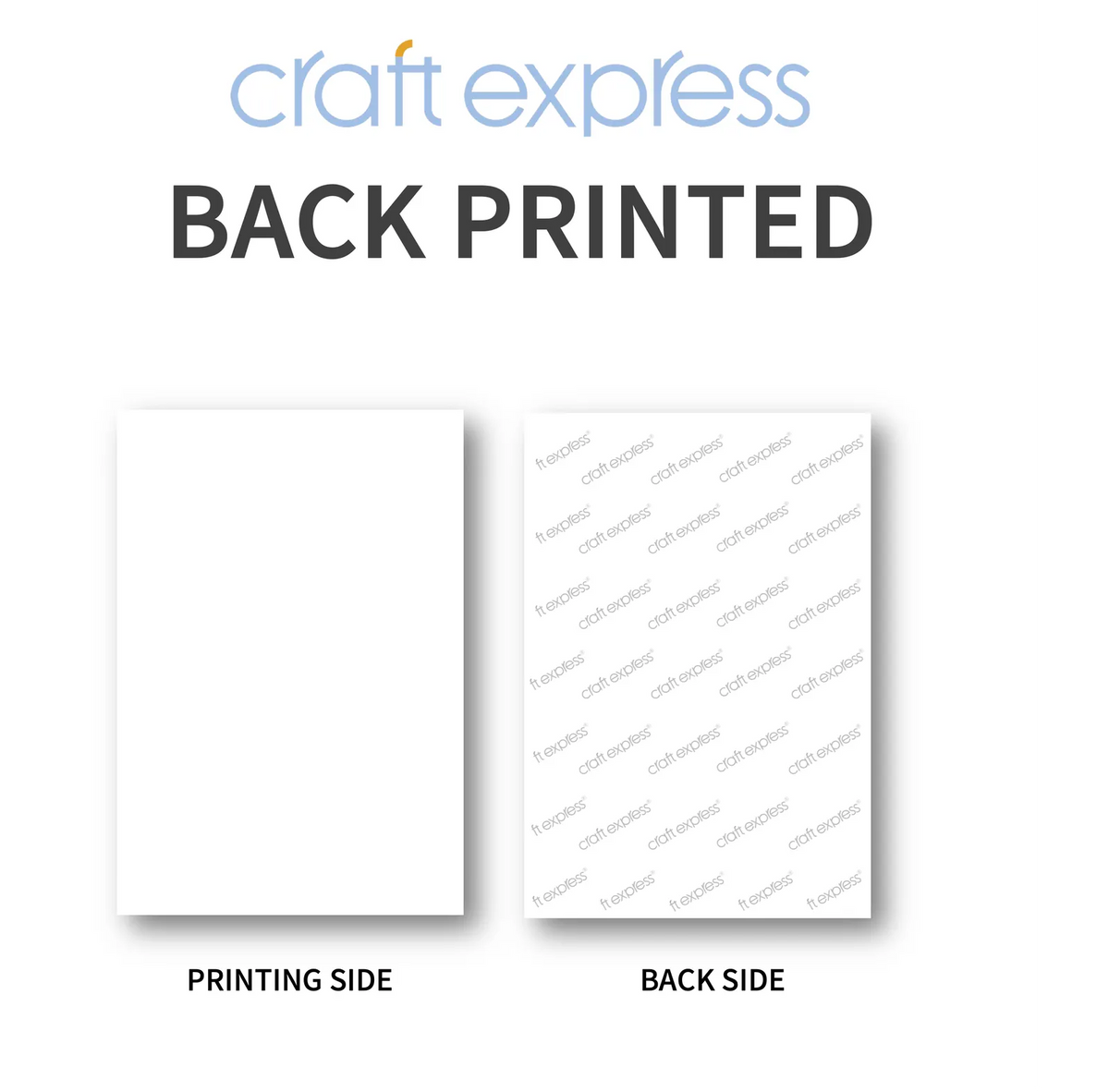
- Single coated printing face: The FAQ identifies the bright white side as the printable side.
- Selectable sheet sizes: Match your choice to your exact printer and feed setup.
- Flexible project planning: Use with approved polyester fabrics or sublimation-coated blanks, following each blank’s own application instructions.
Specifications and size selection
| Detail | Product information |
|---|---|
| Pack quantity | 110 sheets in the selected size, not a mixed-size assortment |
| Currently listed size options | 4 × 9.5 inches or 13 × 19 inches |
| Paper type | Blank sublimation transfer paper |
| Coating | Single-sided; print on the bright white face identified in the FAQ |
| Ink requirement | Compatible sublimation ink |
| Weight and thickness | No paper weight in gsm or thickness specification supplied |
| Drying and storage | No exact drying interval, shelf life, or detailed storage conditions supplied |
The previous description also referenced 8.5 × 11-inch and 11 × 17-inch sheets, but those sizes are not shown among the current size choices. Select from the options offered for this listing.
Check the size against your printer
| Size option | Before you print |
|---|---|
| 4 × 9.5 inches | Verify custom-sheet support, minimum feed dimensions, loading orientation, and printable margins. The size does not establish a universal mug template or wrap fit |
| 13 × 19 inches | Verify your exact printer, tray, feed path, and media settings support this format. Confirm the printable area rather than assuming borderless coverage |
Sheet dimensions are not the same as printable dimensions. Measure the blank’s actual decoration area, account for printer margins, and test your layout before a batch.
Printer, ink, and blank compatibility
| Requirement | Guidance |
|---|---|
| Sublimation printer and ink | Use an approved printer, ink configuration, paper size, feed path, and media setup. A printer brand alone does not establish compatibility |
| Sawgrass, Epson, and Brother | Named in the existing Features, but no exact model approvals or settings supplied. Confirm your specific system before use |
| VersiFlex | Mentioned in Features, but this paper is not established as a substitute for VersiFlex Light or other system-specific decorating media. Follow the exact system’s approved ink-and-media workflow |
| Regular inkjet ink or laser toner | Not the specified workflow; the FAQ requires sublimation ink |
| Polyester fabrics | Confirm fiber content, color, finish, heat tolerance, and approved sublimation procedure |
| Sublimation-coated hard blanks | Mugs, tumblers, coasters, keychains, and puzzles are listed examples. Check the exact coating, dimensions, artwork orientation, and heating method |
| Ordinary cotton or uncoated hard surfaces | The paper alone does not make an unsupported material sublimation-ready |
| DTF, UV DTF, or protective pressing paper | This product is not identified as a substitute for specialized transfer films or protective barrier paper |
Printing and application guide
| Stage | What to know |
|---|---|
| Printing face | Bright white coated side; load according to your printer’s feed direction |
| Artwork orientation | Confirm the exact blank’s mirroring requirements, especially for clear blanks viewed through the opposite face |
| Print settings | Use settings and profiles approved for your printer, ink, and paper combination; none are specified here |
| Drying | Features describe fast drying, but no numerical wait time is supplied. Follow verified handling guidance before touching or positioning the print |
| Transfer placement | Printed face against the approved decoration surface |
| Heating | Use the temperature, time, pressure, and protective layers approved for the exact blank and equipment; no universal recipe supplied |
| Paper removal | Follow the blank-specific peel instruction. Cooling fully before handling the item does not automatically mean cold-peel paper removal |
How to prepare your project
- Choose the sheet size supported by your printer and confirm that your artwork fits within its printable margins.
- Select a compatible polyester fabric or sublimation-coated blank and obtain its complete application procedure.
- Prepare the artwork at the required size and orientation. Check mirroring for the blank’s printing face and viewing direction.
- Load the paper to print on the bright white coated side and use the approved printer-and-ink settings.
- Follow the correct drying and handling procedure. Trim the printed transfer if needed; confirm minimum supported feed dimensions before putting any pre-cut sheet into a printer.
- Position the printed face against the blank and secure it as directed. Add protective layers, wraps, or sleeves only as specified for that process.
- Apply the blank-specific heating recipe and remove the paper at the required stage.
- Allow the finished item to cool fully before handling as instructed, and inspect a test piece before batch production.
Plan a coordinated gift collection
Create a photo mug with a matching coaster, design a set of name keychains, or build a themed fabric project using approved blanks. Each item can require a different template and heating recipe, even when the artwork comes from the same file. A 110-sheet count does not guarantee 110 finished items or repeated transfers from one print.
Handling and finished-item care
Follow the paper packaging’s storage and handling guidance and the finished blank’s own care instructions. Paper choice alone does not establish dishwasher safety, microwave approval, wash-cycle life, or fade resistance. No exact storage temperature, humidity range, or printed-transfer storage life is supplied here.
Frequently asked questions
Is this paper blank or pre-printed?
Blank. Print your own artwork using a compatible sublimation printer and sublimation ink.
How many sheets are included?
110 sheets in the selected size.
Which sizes are currently listed?
4 × 9.5 inches and 13 × 19 inches. Confirm your exact printer and feed setup supports the selected size.
Which side do I print on?
The bright white coated side identified in the FAQ. Check how your printer feeds the sheet so it prints on that face.
Can I use ordinary inkjet ink or laser toner?
No. The listed workflow requires sublimation ink.
Does it work with every printer from the brands mentioned?
No universal model compatibility is established. Confirm the printer, ink configuration, sheet size, media settings, and feed path.
Can I cut the sheets smaller?
The FAQ allows trimming. If cutting before printing, confirm the printer supports the resulting dimensions. Trimming after printing avoids assuming a custom size will feed correctly.
What heat settings should I use?
Use the complete recipe for the exact blank and equipment. This paper does not supply one temperature, time, or pressure for every project.
Do I wait until the item is cold before peeling?
Not necessarily. Follow the blank’s paper-removal timing separately from its safe-handling and cooling instructions.
Can this replace protective butcher paper or VersiFlex Light media?
No such substitution is established. Keep printable transfer paper, protective barriers, and system-specific decorating media distinct.
Choose your supported sheet size, test the complete setup, and bring your own artwork to your next compatible sublimation project.