




Craft Express Sublimation Neoprene Can Coolers – 12oz White
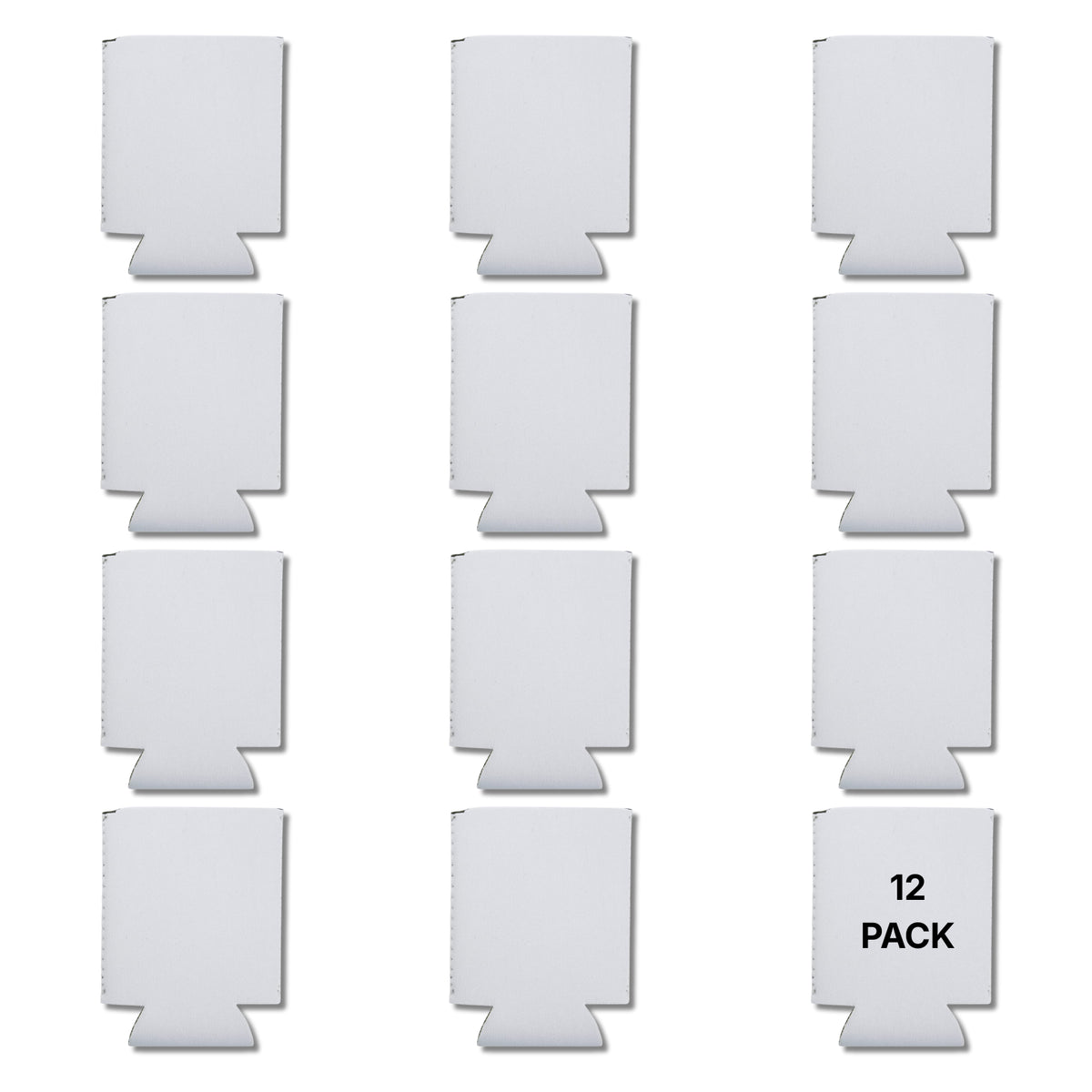
Give the next backyard gathering, wedding weekend, or team event a personal touch. Craft Express Sublimation Neoprene Can Coolers are white blank sleeves designed for standard 12oz cans, with a soft polyester outer surface ready for your sublimation artwork.
Works with
-
 Sublimation

Choose options
Description
A cold drink. A design worth celebrating.
Give the next backyard gathering, wedding weekend, or team event a personal touch. Craft Express Sublimation Neoprene Can Coolers are white blank sleeves designed for standard 12oz cans, with a soft polyester outer surface ready for your sublimation artwork.
Imagine a set printed with guests’ names, a shared inside joke, or a colorful event logo. The flexible neoprene construction adds an insulating layer around the can, while the collapsible shape folds flat for packing and storage. Customize the front and back to carry your theme around both sides.
Why choose these can cooler blanks?
- White polyester printing surface: A light canvas for names, photos, patterns, and logos.
- Neoprene sleeve construction: Flexible support with an insulating role; no tested cold-retention duration is supplied.
- Two-sided personalization: Create a coordinated front and back, allowing the sleeve to cool fully between sides.
- Fold-flat format: Convenient for storing unprinted blanks and packing finished favors.
- Reusable and machine washable: As described in the existing care information.
- Choose your quantity: Available in 4-, 12-, 24-, or 36-packs.
Specifications and buying details
| Detail | Product information |
|---|---|
| Product type | Collapsible blank can cooler sleeves |
| Intended fit | Standard 12oz cans |
| Listed construction | Neoprene with a soft white polyester outer surface |
| Color | White |
| Printing areas | Front and back |
| Pack options | 4, 12, 24, or 36 sleeves, according to the selected count |
| Storage | Collapsible, folds flat |
| Care | Reusable and machine washable; cycle, temperature, and drying settings are not supplied |
Pack count means the number of sleeves, not can capacity. Exact sleeve dimensions, thickness, fiber percentages, printable-area measurements, and minimum press size are not supplied. Cans, inks, transfer paper, heat press, pressing insert, and protective sheets are not listed as included.
Can fit and printing compatibility
| Item or method | Guidance |
|---|---|
| Standard 12oz cans | The intended format. Check the actual can shape and sleeve fit before planning a batch. |
| Slim or skinny 12oz cans | No specific fit approval is supplied. Equal capacity does not mean equal diameter or shape. |
| Bottles and other can sizes | No universal fit is established. |
| Sublimation | Use compatible sublimation ink and paper for the white polyester exterior. |
| Flat heat press | Use a suitable pressing pillow or foam insert inside the empty sleeve and a setup that supports even contact and medium pressure. |
| Sawgrass, Epson, or Brother equipment | Named in the existing listing. Confirm the exact printer is configured for the compatible sublimation ink and paper workflow. |
| VersiFlex | Named in the listing without a media-specific procedure. Confirm the exact ink, transfer media, and blank approval before substituting workflows. |
| HTV, textile DTF, or UV DTF | No complete product-specific application procedure is supplied; product tags alone do not establish approval. |
This is a soft neoprene sleeve, not a stainless steel can cooler. Do not substitute metal drinkware pressing or oven settings.
Listed heat-press reference
| Parameter | Instruction |
|---|---|
| Temperature | 385°F (196°C) |
| Time | 60 seconds per side |
| Pressure | Medium |
| Internal support | Small pressing pillow or foam insert suitable for the process |
| Transfer placement | Printed side facing the white exterior |
| Protection | Appropriate protective paper or non-stick sheet |
| Pre-press | A few seconds to remove moisture; exact duration is not supplied |
| Between sides | Cool completely before flipping to print the other side |
| Paper peel | No explicit hot, warm, or cold removal stage is supplied |
These are the listing’s reference settings. Confirm the complete procedure for your supplied blanks, transfer system, press, and heat-suitable insert, then test one sleeve. The instruction to cool fully before flipping does not by itself define when to remove the transfer paper. Confirm artwork mirroring for the selected workflow.
How to personalize your can coolers
- Choose your pack count and check fit with the intended standard 12oz can. Remove the can before pressing.
- Plan artwork around the actual printable area, allowing for seams and the sleeve shape. Confirm artwork orientation and paper-peel timing.
- Print using compatible sublimation ink and paper.
- Place a suitable pressing pillow or heat-approved foam insert inside the empty sleeve. Prepare the press support and pressure for that insert.
- Pre-press briefly to remove moisture as directed for the blank, then position the transfer face-down on the white exterior.
- Cover with appropriate protection and press using the confirmed settings. The listed reference is 385°F (196°C) for 60 seconds with medium pressure.
- Remove the transfer at the confirmed peel stage. Let the sleeve cool completely before flipping to personalize the second side.
- Protect the previously printed face during the second application as directed by the supplier. Inspect a test piece before completing a batch.
- Allow the finished sleeve to cool before inserting a can or packaging it.
Care and everyday use
The listing describes these sleeves as machine washable and reusable, but does not specify wash temperature, cycle, detergent restrictions, drying method, or the interval before the first wash. Follow the supplied care guidance for the blank and finished print; do not assume hot washing, tumble drying, bleach, or direct ironing is approved.
The neoprene provides an insulating layer, but no measured cooling duration or condensation-prevention guarantee is supplied. Use these as removable can sleeves, not as heat-protective equipment or substitutes for a refrigerator.
Frequently asked questions
What cans do they fit?
They are designed for standard 12oz cans. Slim cans, bottles, and other shapes need a separate fit check.
How many sleeves are included?
Select a 4-, 12-, 24-, or 36-pack. The selected count determines the quantity.
Can I print both sides?
Yes. The existing instructions support front-and-back personalization and say to cool completely before flipping.
What settings are listed?
385°F (196°C), 60 seconds per side, medium pressure, with an appropriate insert and protective sheet.
Do I need an insert?
The instructions call for a small pressing pillow or foam insert to support the sleeve. Confirm the insert is suitable for the temperature and process; it is not confirmed as included.
Should I mirror the artwork?
Confirm orientation for the exact transfer workflow. The listing specifies printed-side-down placement but does not give an explicit mirroring instruction.
When should I peel the paper?
No specific hot, warm, or cold paper-peel stage is supplied. Confirm that step separately from the full-cooling instruction between sides.
Are they machine washable?
Yes, as listed. Detailed washing and drying settings are not supplied, so follow the blank supplier’s care instructions.
Are these rigid metal coolers?
No. They are flexible neoprene sleeves that fold flat.
Pick a theme, personalize a set, and give your next gathering a detail guests can make their own.