




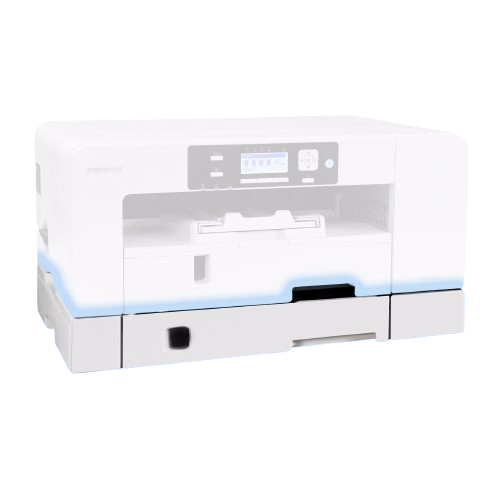
Sawgrass SG1000 Option Tray, Add 250-Sheet Capacity
The Sawgrass SG1000 Option Tray is a genuine second paper tray that adds up to 250 sheets of capacity to your compatible SG1000 setup. Keep more approved paper loaded for batch projects, or organize different supported paper types or sizes across two trays.
Works with
-
 Sublimation
-
 VersiFlex


Choose options
Description
Sawgrass products are final sale.
More paper capacity for your SG1000 projects
The Sawgrass SG1000 Option Tray is a genuine second paper tray that adds up to 250 sheets of capacity to your compatible SG1000 setup. Keep more approved paper loaded for batch projects, or organize different supported paper types or sizes across two trays.
Picture preparing a collection of personalized gift transfers, then moving to another project without unloading the same tray each time. A dedicated second paper source can reduce paper swapping and reloads, helping you keep your workspace organized while you focus on the next design.
Why add a second paper tray?
- Additional capacity: Up to 250 sheets, with loading limits dependent on the approved media.
- Two paper sources: Keep different compatible sizes or types loaded across the printer’s trays.
- Less paper handling: Reduce the need to reload or exchange paper during suitable jobs.
- SG1000-specific accessory: Expand paper storage without treating the tray as a printer, ink-system upgrade, or print-speed upgrade.
Product specifications
| Detail | Listed information |
|---|---|
| Product | Sawgrass SG1000 Option Tray |
| Accessory type | Genuine additional paper tray |
| Additional capacity | Up to 250 sheets |
| Compatible printer | Sawgrass SG1000 |
| Quantity | One option tray |
| Store SKU | PRNT98V8002 |
| Supported paper sizes and weights | Exact dimensions, weight range, and thickness limits are not supplied here |
| Sale condition | Sawgrass products are final sale |
Printer and media compatibility guide
| Printer or workflow | Guidance |
|---|---|
| Sawgrass SG1000 | Listed as compatible. Confirm the accessory SKU against your exact printer and current Sawgrass installation guidance. |
| Sawgrass SG500 | The supplied FAQ explicitly identifies this tray as not compatible with the SG500. |
| Other printer models | No compatibility is supplied. Do not assume interchangeability based on brand or appearance. |
| Different papers in two trays | The listing supports keeping different paper types or sizes loaded. Each medium must meet the printer’s and tray’s size, weight, thickness, and feed requirements. |
| SubliJet or VersiFlex media | Collections and tags do not establish approval for every paper. Confirm feed suitability for your exact media and existing ink configuration. |
| Paper-source selection | Select and configure the correct source using current Sawgrass and printer-driver instructions. Automatic tray switching or detection is not guaranteed by this description. |
| Larger-format printing | This listing establishes extra paper capacity, not an expanded paper-size or printable-area capability. Do not treat it as a bypass tray. |
Option tray versus bypass-tray claims
The product title, main description, and SKU identify this item as the 250-sheet SG1000 Option Tray. The separate search description instead refers to a bypass tray and 13 × 51-inch designs. That wording conflicts with the listed item and does not establish those capabilities for this accessory. Confirm the exact accessory and supported sheet sizes before purchasing for a large-format project.
Plan your setup
- Confirm that your printer is an SG1000 and that SKU PRNT98V8002 matches the accessory you need.
- Read the current Sawgrass installation instructions, including power-off, handling, alignment, and workspace requirements.
- Prepare a stable support surface and install the option tray beneath the printer only as directed by the manufacturer.
- Load approved paper within the guides and loading limits. Do not assume all media can be loaded to the full 250-sheet capacity.
- Follow current instructions to recognize and configure the additional paper source in your printing setup.
- Select the intended tray, paper size, and media settings, then test a job before printing a batch.
For easier organization, label your paper sources with their loaded media and check those labels before each job. Additional capacity can reduce reloads, but does not guarantee uninterrupted printing or faster print output.
Frequently asked questions
How much paper capacity does this add?
Up to 250 sheets in an additional tray. Follow the loading limits for your actual approved paper.
Which printer is it for?
The Sawgrass SG1000. Confirm the exact accessory SKU before ordering.
Will it work with an SG500?
No. The supplied FAQ states that this SG1000 tray is not compatible with the SG500.
Can I keep different paper sizes or types loaded?
Yes, the supplied listing describes that workflow across two trays. Verify that each paper is supported and select the correct source and settings.
Is this a bypass tray?
This item is identified as an SG1000 Option Tray adding 250-sheet capacity. The separate search description contains conflicting bypass-tray wording; do not rely on it to identify this accessory.
Does it enable 13 × 51-inch designs?
That capability is not established for this option tray. Confirm the correct accessory, supported sheet sizes, and printable area separately.
Will it increase print speed?
No print-speed increase is specified. The benefit is added capacity and a second paper source.
Can I load any sublimation or VersiFlex paper?
No universal paper approval is supplied. Confirm the exact media’s size, weight, thickness, and feed-path requirements.
Will my software detect it automatically?
Follow the current printer and driver setup instructions. Automatic detection and driver-free setup are not guaranteed here.
Is a printer or paper included?
The listing is for one option tray. A printer, paper, and ink are not listed as included.
Is this final sale?
Yes. Sawgrass products are final sale. Confirm the model, accessory, and media requirements before purchasing.
Add a second paper source to your SG1000 workflow with the correct option tray, approved media, and properly configured print settings.