




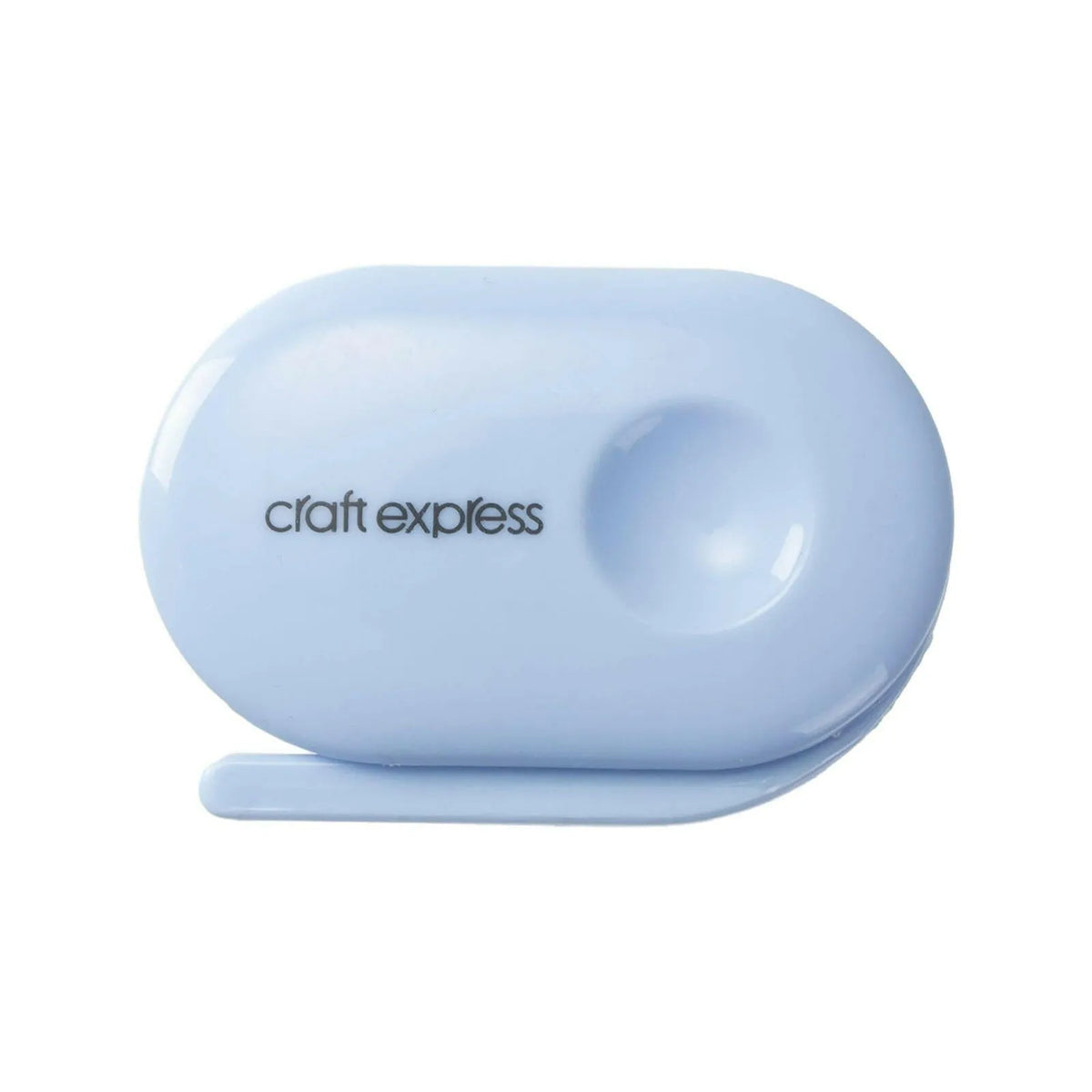


Craft Express Handheld Paper and Vinyl Cutter, Easy Precision Tool for Crafters
The Craft Express Handheld Paper and Vinyl Cutter is a manual trimming tool for compatible craft papers and vinyl materials. Its handheld grip and enclosed blade design offer a compact option for guiding straight lines, curves, and freestyle shapes without setting up a powered cutting machine.
Works with
-
 Sublimation
-
 Vinyl


Choose options
Description
A compact cutter for everyday paper and vinyl preparation
The Craft Express Handheld Paper and Vinyl Cutter is a manual trimming tool for compatible craft papers and vinyl materials. Its handheld grip and enclosed blade design offer a compact option for guiding straight lines, curves, and freestyle shapes without setting up a powered cutting machine.
Picture preparing sublimation sheets for a mug project, trimming sticker paper for a planner, or sizing vinyl for your next design. Keep the cutter beside a suitable cutting mat, mark your line, and guide the tool with light pressure. It is an easy-to-store addition to a home craft table or supplies tote.
Useful features for your craft station
- Manual handheld control: Guide your own cutting path rather than relying on a preset digital design.
- Enclosed blade: The listing describes a hidden cutting edge; it remains a sharp cutting tool and requires careful handling.
- Multiple listed materials: HTV, adhesive vinyl, sticker paper, sublimation sheets, cardstock, and lightweight craft paper are named.
- Straight or curved cutting: The FAQ describes both straight edges and freestyle shapes, subject to the tool’s actual handling limits.
- Compact storage: Marketed for craft drawers, totes, and portable project preparation.
Product details
| Detail | Listed information |
|---|---|
| Product | Craft Express Handheld Paper and Vinyl Cutter |
| Product reference / SKU | CE-CZDLB |
| Operation | Manual handheld cutting with light pressure |
| Grip | Ergonomic handheld design described |
| Blade | Enclosed/hidden blade described |
| Blade replacement | FAQ says the blade is not replaceable; replace the cutter when dull |
| Cutting path | Straight lines, curves, and freestyle shapes described |
| Recommended work surface | Suitable cutting mat; the instructions specifically recommend a self-healing mat |
| Capacity | Maximum material thickness, sheet count, cutting width, and minimum curve size are not supplied |
| Dimensions and construction | Tool dimensions, body material, and blade material are not supplied |
Buying note: A cutting mat, ruler, replacement cutter, and craft materials are not itemized as included. The search description mentions a sliding cutter with an extendable arm, but that feature is not established by the handheld product’s main guidance. Do not assume a ruler, guide rail, or extendable arm is supplied.
Material compatibility guide
| Material | Listed use | What to check |
|---|---|---|
| HTV and adhesive vinyl | Manual trimming and shaping | Test the actual film and backing. Controlled kiss-cutting or preservation of the carrier layer is not established. |
| Sticker paper | Trimming sheets and shapes | Check paper, adhesive, liner, and any laminate together; not every layered construction is confirmed. |
| Sublimation paper | Preparing transfer sheets for projects | Keep the artwork and required margins clear of the cutting path; follow the transfer process separately. |
| Cardstock | Named in the listing | No weight or thickness rating is supplied. Test a scrap rather than assuming all cardstock can be cut. |
| Lightweight craft paper | Paper crafting and project preparation | Check support and handling to limit movement or tearing. |
| DTF/UV DTF film, fabric, leather, or rigid materials | No specific cutting approval supplied | Tags or general craft uses do not establish suitability. Obtain confirmation before use. |
This cutter is not a powered plotter and does not automatically trace artwork or establish a repeatable cutting depth. Successful trimming depends on the material, blade condition, support surface, and operator control.
Prepare your next cut
- Read the supplied tool instructions and choose a material within its confirmed capabilities.
- Place a suitable cutting mat on a stable work surface. Do not rely on a bare desktop being protected from the blade.
- Mark or identify your cutting path and test on a scrap of the same material.
- Hold the cutter firmly and keep fingers and your other hand clear of the cutting path.
- Guide the tool along the intended line using the listed light-pressure method. Do not force it through an unconfirmed thickness.
- Lift the cutter and inspect the result. The instructions allow another pass if needed; stop if the material binds or the tool does not cut as expected.
- Store securely when finished. Replace the cutter when the blade becomes dull, as directed by the FAQ.
Handling and performance notes
The enclosed blade does not make this a blade-free or injury-proof tool. Follow the manufacturer’s age and supervision guidance; no specific age rating is supplied. Do not dismantle the cutter to attempt blade replacement.
The listing does not provide a measured accuracy tolerance, blade-life rating, or universal material capacity. Clean edges and detailed curves are not guaranteed on every material. Cutting-mat use is recommended to protect the workspace, but no specific blade-life extension is quantified.
This is an unheated trimming tool. Heat-press temperature, time, and pressure belong to the separate transfer process, not cutter operation.
Frequently asked questions
What can I cut?
The listing names HTV, adhesive vinyl, sticker paper, sublimation sheets, cardstock, and lightweight craft paper. Confirm the actual construction and test a scrap first.
Can it cut curves as well as straight lines?
Yes, both are described. Minimum curve size and precision limits are not supplied.
Can it kiss-cut vinyl without cutting the backing?
No depth-control or kiss-cut capability is established. Test the actual film and carrier before using it for that purpose.
Is the blade replaceable?
The FAQ says no. Replace the cutter when dull rather than attempting an unsupported blade change.
Do I need a cutting mat?
The instructions recommend a self-healing cutting mat to protect your work surface. A mat is not itemized as included.
How thick a material can it cut?
No numeric thickness, paper-weight, or multi-sheet rating is supplied.
Does it have an extendable arm?
That appears in the search description but is not established in the handheld cutter’s features or instructions. Confirm the supplied tool configuration before relying on it.
Is it suitable for beginners?
The handheld design and enclosed blade are described for accessible use, but careful handling and the manufacturer’s instructions are still required.
Keep a compact manual cutter ready for your paper and vinyl preparation, then choose the material and technique that suit each project.