




The Benefits of Adding a Bypass Tray to Your SG500 Printer
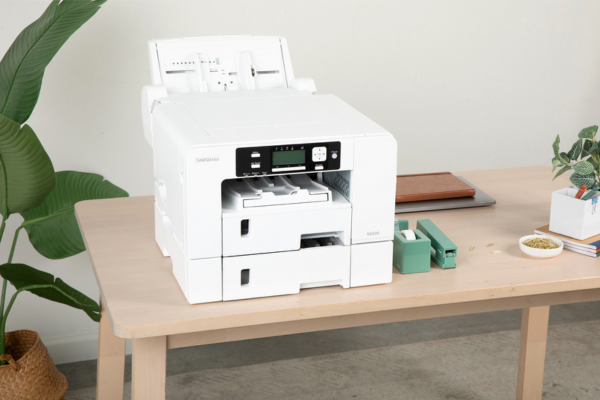
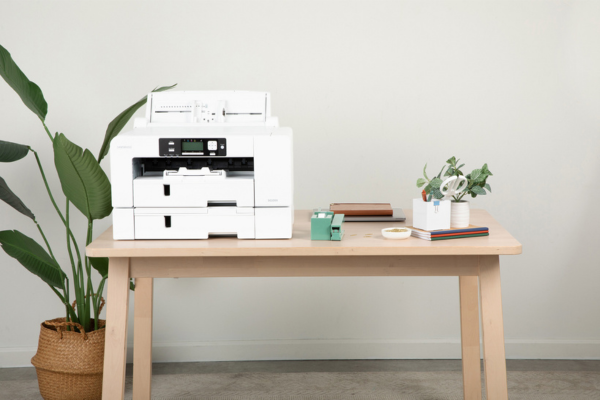
Adding a bypass tray to your SG500 printer is a simple upgrade that can make everyday printing easier, faster, and more flexible. A bypass tray allows you to feed specialty paper or larger sheets one at a time without removing the paper already loaded in your main tray. For sublimation and VersiFlex users, this means less paper swapping, fewer mistakes, and smoother project flow.
In this guide, we will explain what a bypass tray is, how it works with the SG500, and why it is a helpful addition for crafters and small businesses.
What Is a Bypass Tray on the SG500
A bypass tray is a manual paper feed option built into the SG500 printer. Instead of pulling paper from the main tray, the printer feeds a single sheet directly from the bypass tray.
With a bypass tray, you can:
-
Feed one sheet at a time
-
Use specialty or thicker paper safely
-
Print larger sheets without unloading your main tray
This makes the bypass tray ideal for occasional jobs that require a different paper size or type.
Why a Bypass Tray Improves Your Printing Workflow
No Need to Unload Your Main Paper Tray
Without a bypass tray, printing on a different paper size means removing the paper already loaded, adjusting guides, and reloading afterward.
With a bypass tray, you can:
-
Keep your most used paper loaded in the main tray
-
Feed specialty paper only when needed
-
Return to regular printing immediately after
This saves time and reduces unnecessary handling of transfer paper.
Ideal for Specialty and Oversized Prints
The bypass tray is perfect for:
-
Larger format sublimation sheets
-
VersiFlex transfer media used occasionally
-
Specialty paper you do not want to store in the main tray
Feeding paper one sheet at a time helps prevent jams and misfeeds, especially with thicker or less flexible media.
Great for Sublimation and VersiFlex Users
Many SG500 users work with multiple transfer methods. A bypass tray helps keep things organized without requiring extra trays.
Common uses include:
-
Feeding VersiFlex media while sublimation paper stays in the main tray
-
Printing oversized designs without reloading
-
Testing new paper types safely
Accurate printing pairs well with consistent pressing using Craft Express heat presses.
A Smart Choice for Small Businesses and Side Hustles
If you run a craft business, flexibility matters. A bypass tray allows you to handle special requests without disrupting your workflow.
Business friendly benefits include:
-
Faster response to custom orders
-
Less wasted paper and ink
-
More efficient use of your printer
When combined with reliable materials from Craft Express blanks and apparel, this setup helps maintain consistent quality as your orders grow.
Easy to Use and Beginner Friendly
One of the best things about the SG500 bypass tray is how easy it is to use. Simply load a single sheet into the tray, select the bypass option in your print settings, and print.
There is no permanent setup required, making it a beginner friendly feature that delivers flexibility without complexity.
When a Bypass Tray Makes the Most Sense
A bypass tray is especially useful if you:
-
Occasionally print on larger paper sizes
-
Use multiple transfer paper types
-
Want to avoid unloading your main tray
-
Test new materials regularly
Even hobby crafters appreciate the convenience once they start using it.
Supporting Tools That Complete Your Setup
A smooth printing process works best when paired with the right pressing tools.
Helpful additions include:
-
A reliable heat press
-
Fresh protective paper
-
Heat resistant tape
-
Pressing pillows for seams and layered garments
You can find many of these essentials in Craft Express heat press accessories.
Final Thoughts
Adding a bypass tray to your SG500 printer is a small change that delivers big convenience. It allows you to handle specialty paper and larger designs without interrupting your workflow. Whether you are crafting for fun or running a small business, a bypass tray helps your printer keep up with your creativity.
If you want more flexibility without committing to additional trays, the bypass tray is a practical and beginner friendly solution.
Ready to start your handmade sublimation, VersiFlex, DTF or HTV business? Head to craftexpressus.com for heat presses, blanks, supplies and more!
FAQ: SG500 Bypass Tray
Do I need a bypass tray to use the SG500?
No, but it makes printing specialty or oversized paper much easier.
Can I use the bypass tray with VersiFlex paper?
Yes, but a bypass tray is ideally used for larger format paper and media that cannot fit in your printer.
Is the bypass tray hard to use?
No, it is simple and beginner friendly.
Does using the bypass tray affect print quality?
No, it supports accurate feeding and helps reduce paper handling issues.


Leave a comment
This site is protected by hCaptcha and the hCaptcha Privacy Policy and Terms of Service apply.